
The Garmin Foretrex is a wrist-mounted GPS navigation device designed for outdoors recreation use by Garmin, one of the most prominent brands in outdoors activities from hiking and running to fishing and hunting. The Foretrex can be mounted on the wrist for easy access to navigation data such as a compass, GPS coordinates, distance traveled, and elevation.
Certain models of the Garmin Foretrex have features relevant to hunters and shooters, specifically ballistic solvers by way of Applied Ballistics. Applied Ballistics is likely the most well-known ballistics software in the industry and is licensed and used by various manufacturers for integration into their products such as laser rangefinders or most notably, Kestrel weather meters.
The Garmin Foretrex 901 Ballistic Edition was released in 2023 and is the most recent, full featured version of the Foretrex series of products. I started looking into the Foretrex when the 901 was released as I becoming more immersed in Applied Ballistics integrated products, especially after I acquired the Vectronix Shooting Solutions Vector X rangefinding binocular, which has Applied Ballistics onboard.
I had absolutely no interest in the navigation features of the Foretrex 901. What interested me is the ability to have the shooting solution with the data from my rangefinder displayed on a screen on my wrist. More specifically, I wanted to have a target card with all the targets to be engaged along with the distances and elevation corrections displayed on a screen on my wrist.
My primary use case is for field matches and in particular NRL Hunter matches where we need to find 1, 2, or 4 targets on every stage, range, and engage them. I have been using some variation of writing down the distances and elevation (MIL) corrections on either a vinyl card with a wet erase pen or on painters tape with a pen or marker, both of which would be affixed in some fashion to my wrist.
While these methods are functional, I still wanted to continue streamlining my process on NRL Hunter stages by leveraging the technology available. However, I held off getting the Garmin as I was unsure if the Vectronix Vector X would integrate with the Foretrex 901 target card functionality. Coincidentally, Phillip Velayo released a video showing the use of the Foretrex 901 with the Vector X.
After watching Phillip Velayo’s workflow video, I picked up a Garmin Foretrex 901 Ballistic Edition.
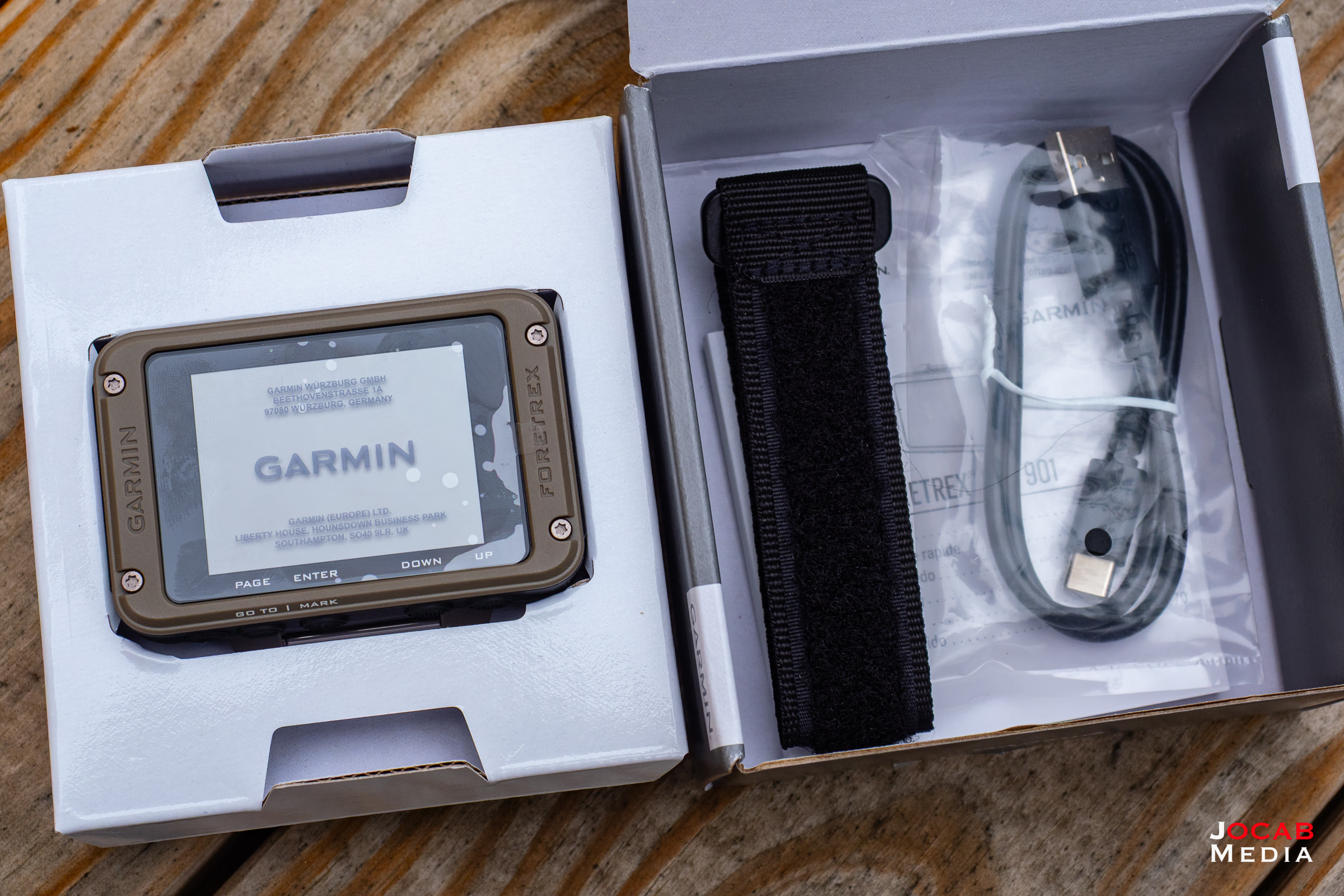
The front screen / lens is acrylic for the 2.2″ (diagonal) monochrome MIP display and the unit dimensions are 2.9″ x 1.9″ x 0.9″ with a weight of 3.8 ounces with the batteries. The Foretrex 901 has a water rating resistance rating of IPX7.
The Garmin Foretrex 901 Ballistic Edition comes with the unit, along with the Velcro wrist strap and a USB cable. The USB is specifically for connecting the unit to a computer to be used with the Garmin Express application for software updates and data retrieval related to navigation.
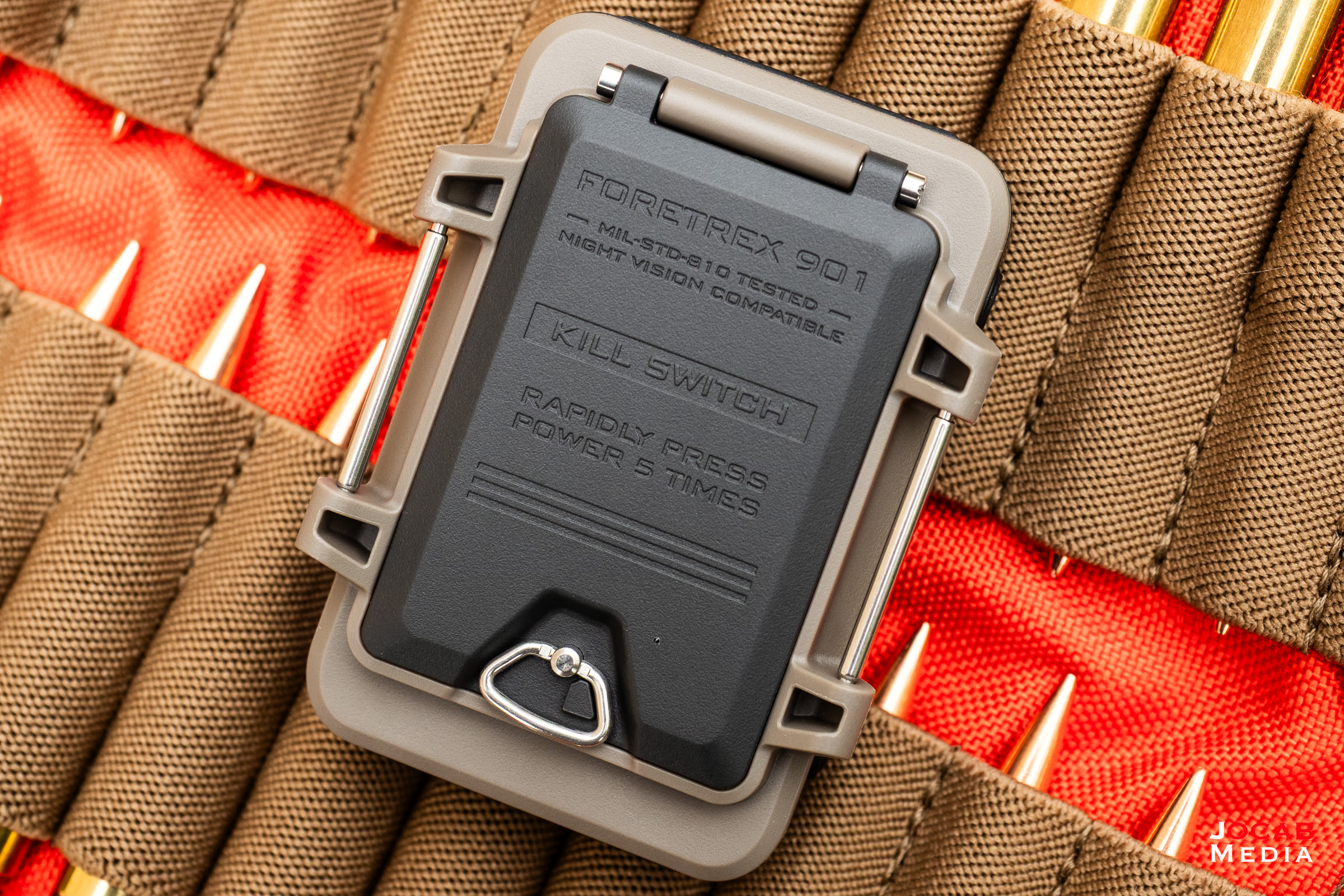
The cable is not for charging as the device is powered by two (2) AAA batteries, which can be either alkaline, lithium, or nickel metal hydride (NIMH). I use lithium as they are the most resilient in colder temperatures.
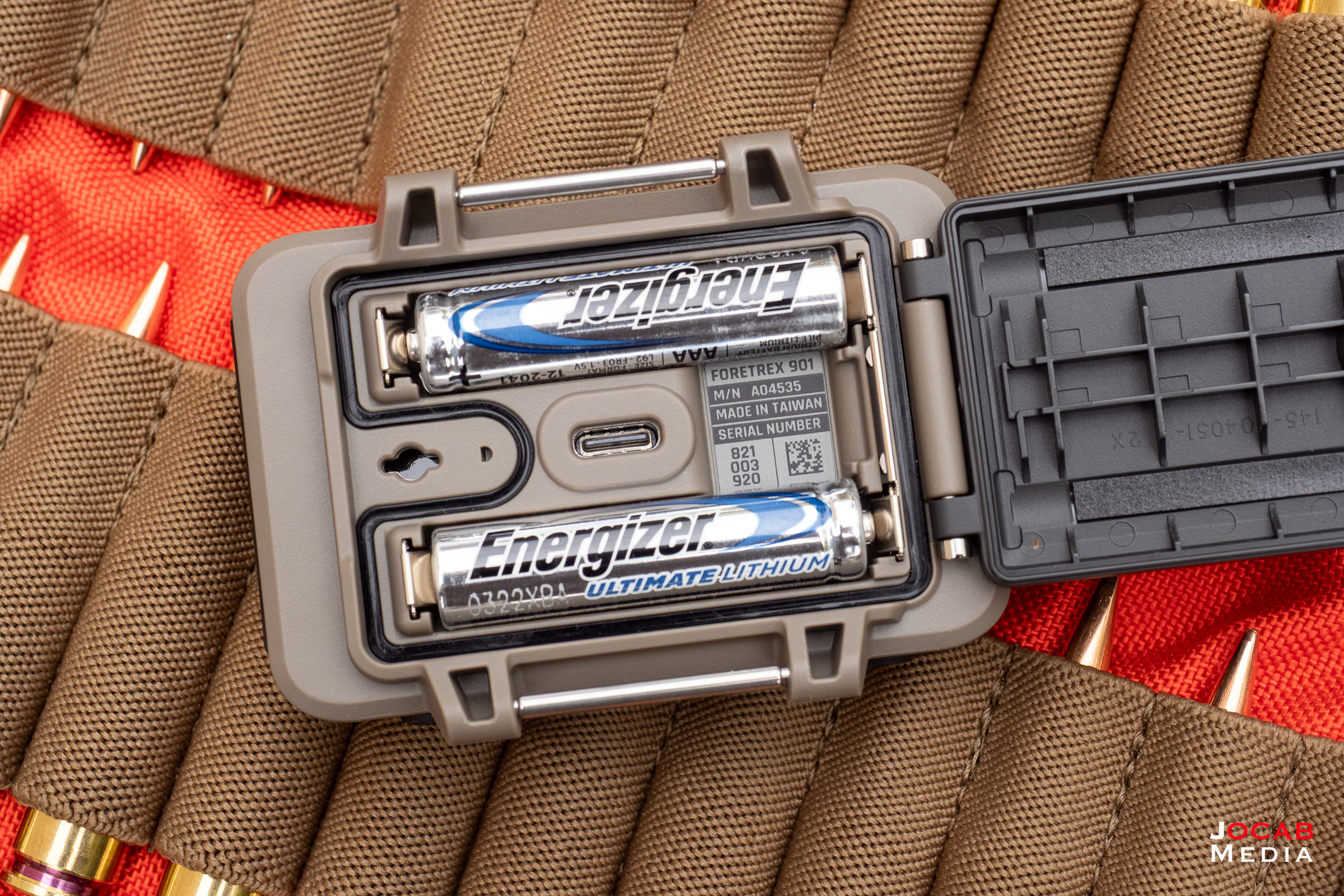
The USB cable is specifically for connecting to a computer to transfer data or manage the unit with the Garmin Express application.
According to Garmin, the Foretrex 901 has 100 hours of battery life with the default GPS mode and 1000 hours in Expedition Mode.
Note that the lower power Expedition Mode is not feasible if you want to connect rangefinding binoculars with the unit as Expedition Mode turns off Bluetooth.
In expedition mode, the navigator collects fewer GPS track points and turns off the Bluetooth connection.
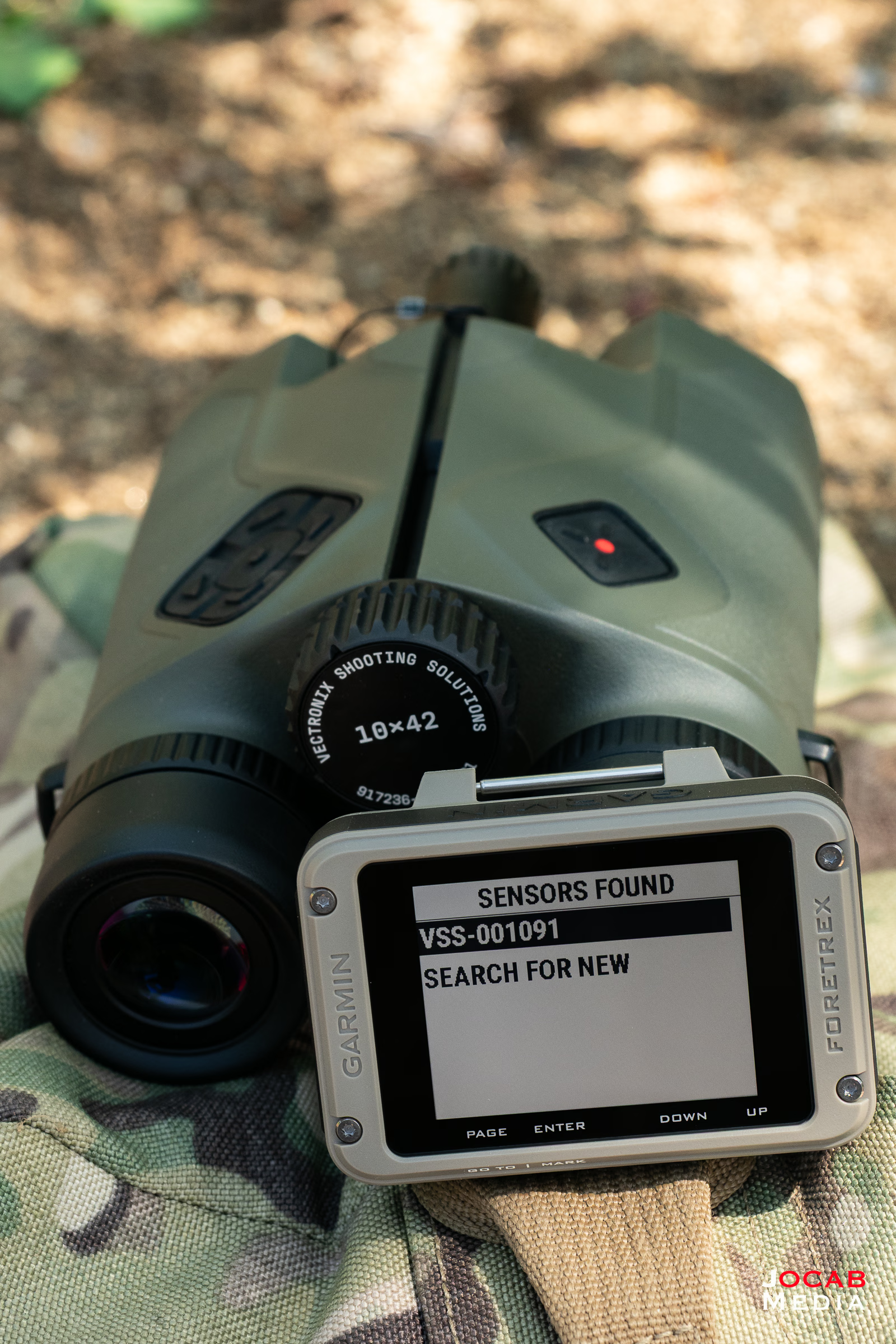
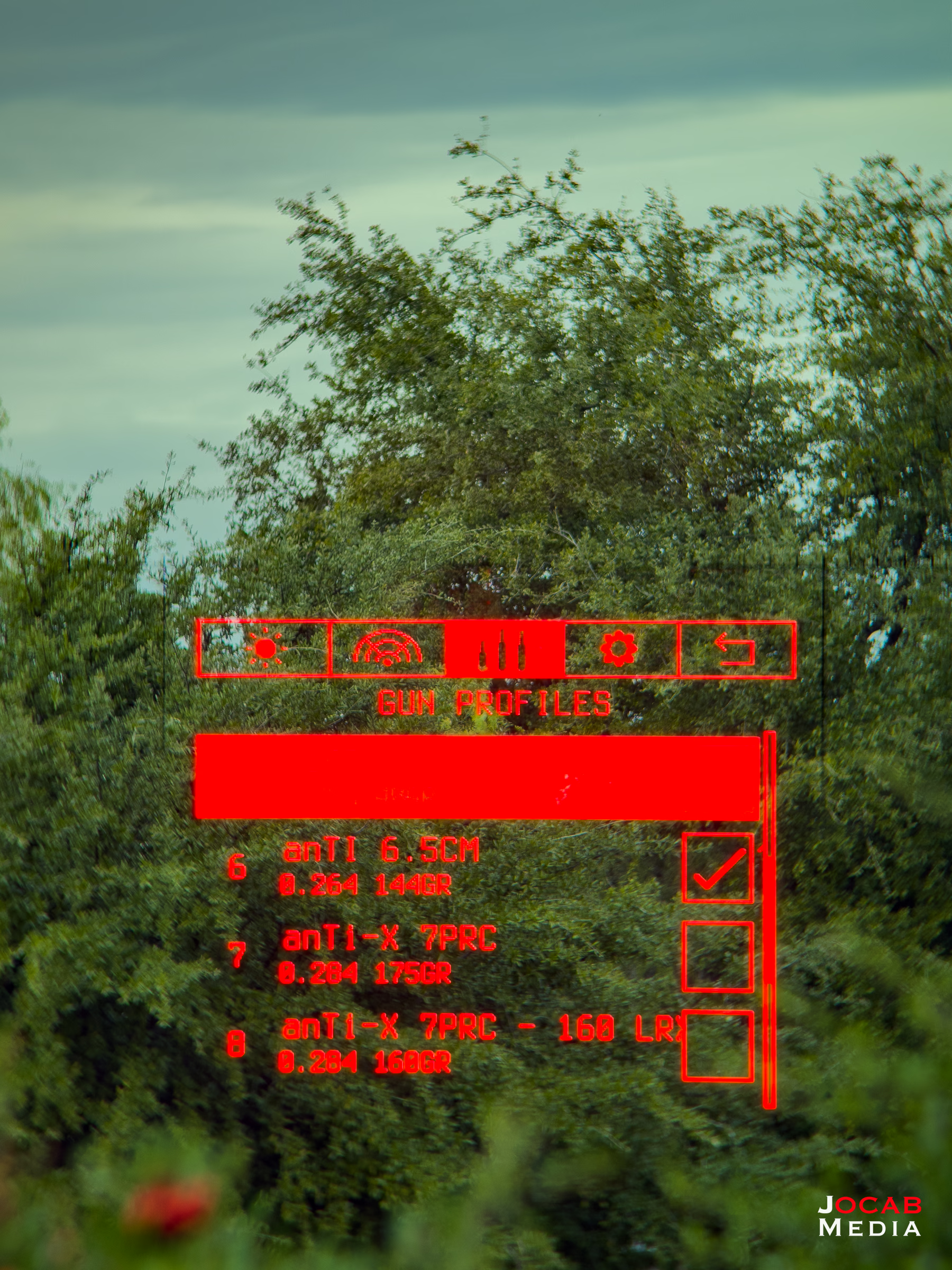
Connecting an Applied Ballistics compatible device such as the Vector X is done by accessing the Applied Ballistics option in the menu system, and then locating the AB compatible unit.
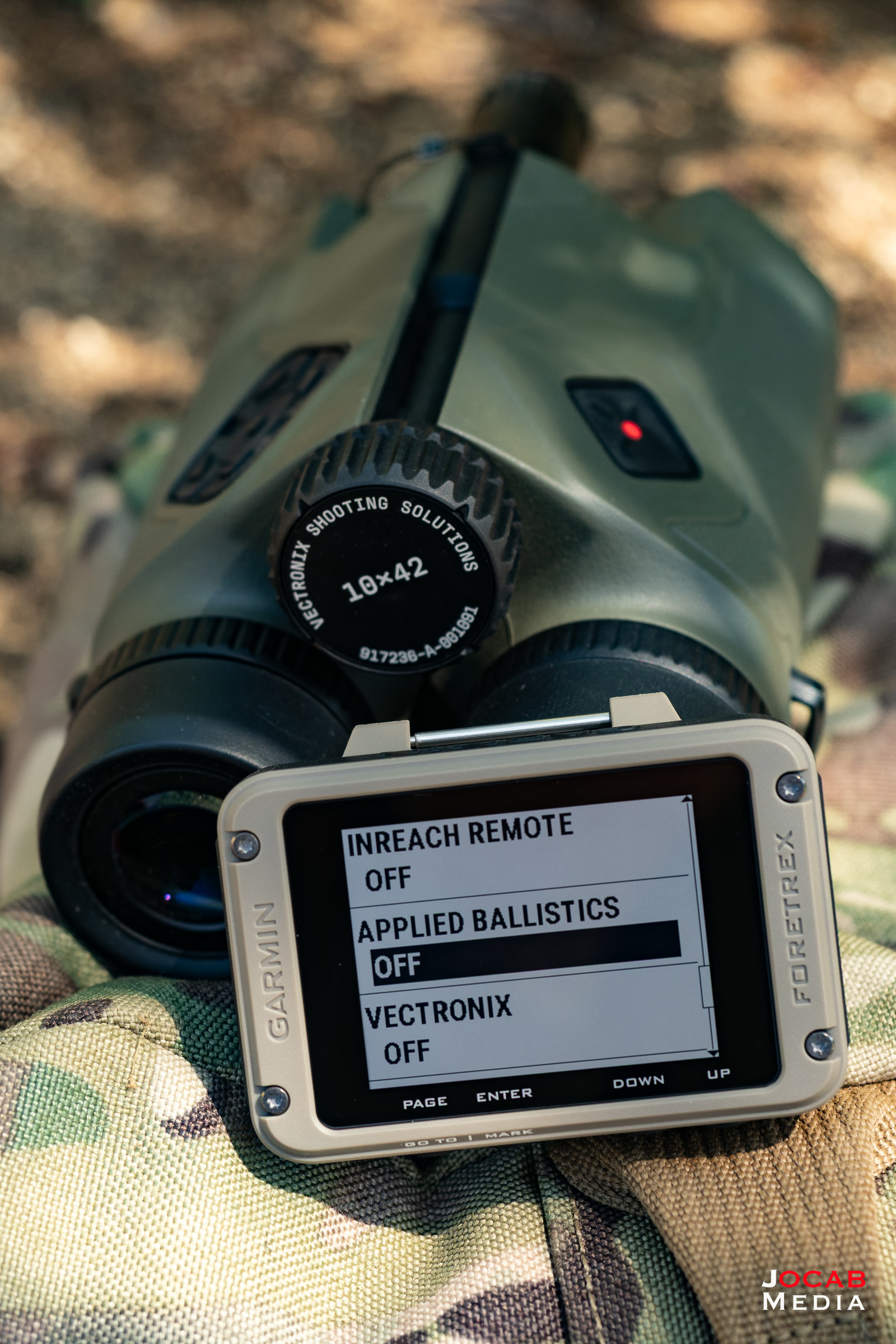
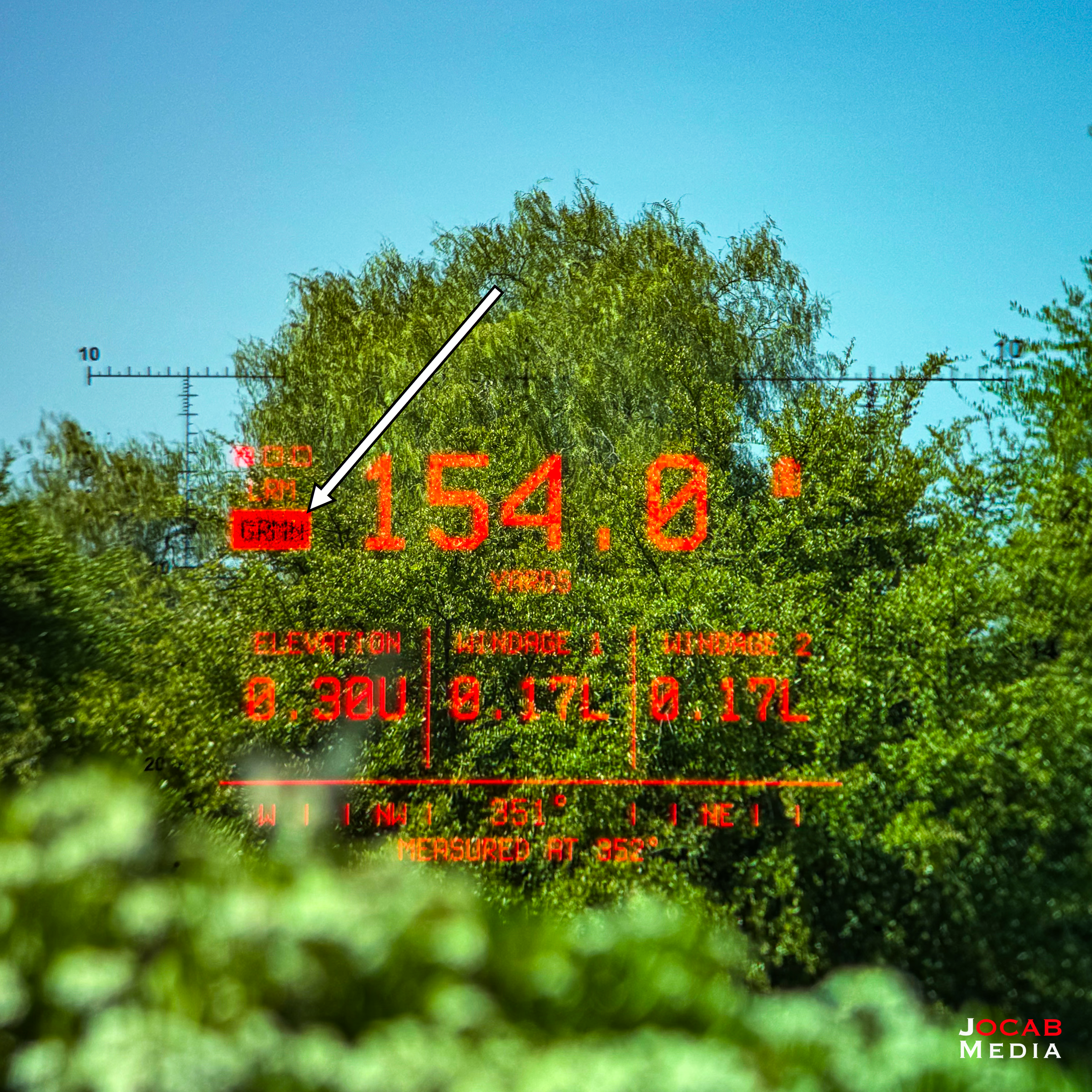
When the Foretrex is connected to the Vectronix Vector X, the HUD will have an indicator displaying GRMN.
It is important to understand that the connection between devices that ‘speak’ the Applied Ballistics protocol has limitations. For one, a device with Applied Ballistics can only be connected to one Applied Ballistics compatible device at a time. Thus, while the Vector X is connected to the Foretrex 901, neither one can be connected to another AB-compatible device.
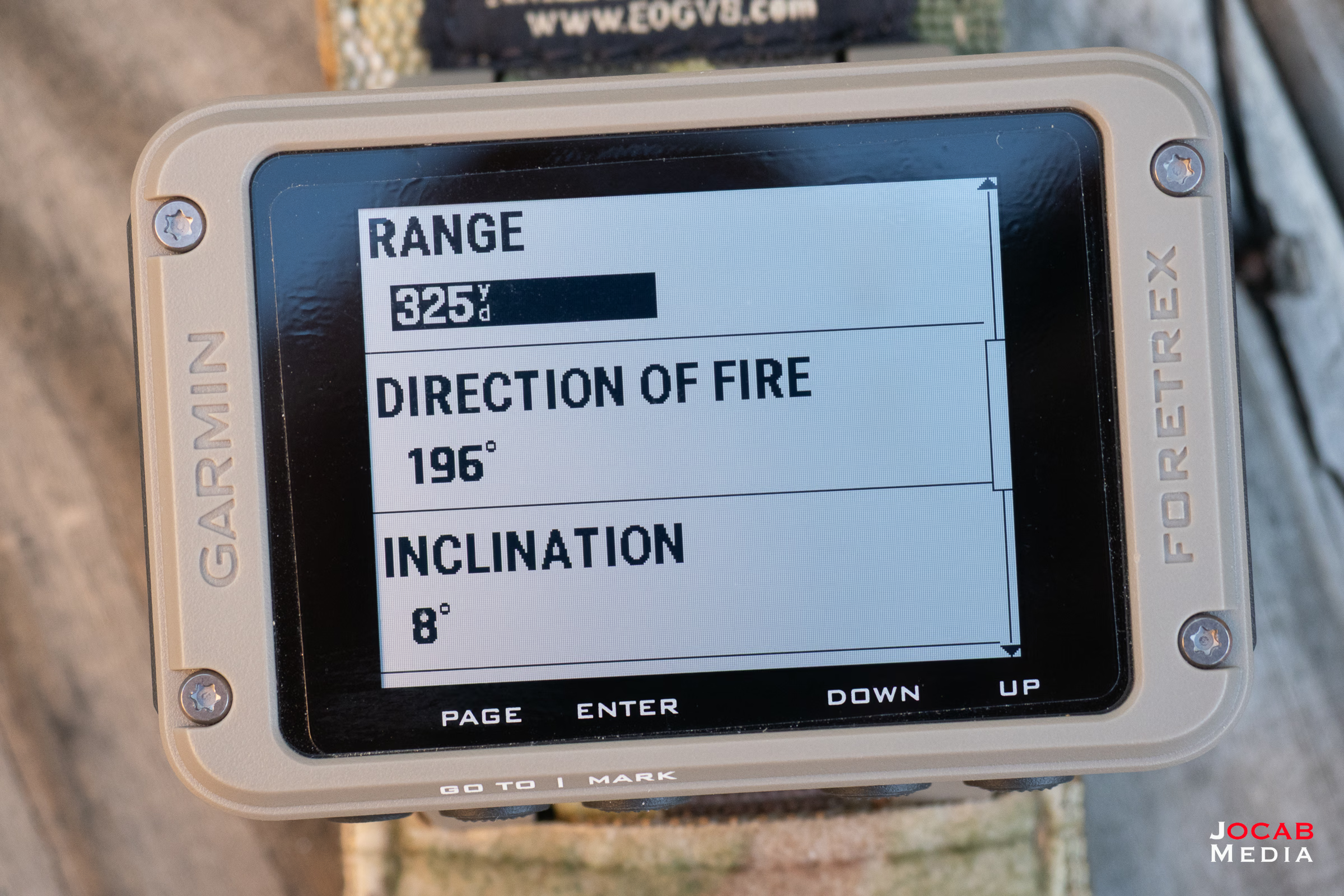
Furthermore, only certain data is transmitted between AB-compatible devices.
In the case of a laser rangefinder to the Garmin Foretrex 901, the Vector X will send the range/distance, angle of attack (inclination/declination), and direction of fire.
What this does mean is that the Vector X does not send environmental data, even though the Vector X has onboard environmental sensors, to the Foretrex 901.
So theoretically, the Vector X and the Foretrex 901 could display different firing solutions as the Vector X uses live environmental data from it’s own sensors to factor into the firing solution, where as the Foretrex 901 will use whatever data was inputted.
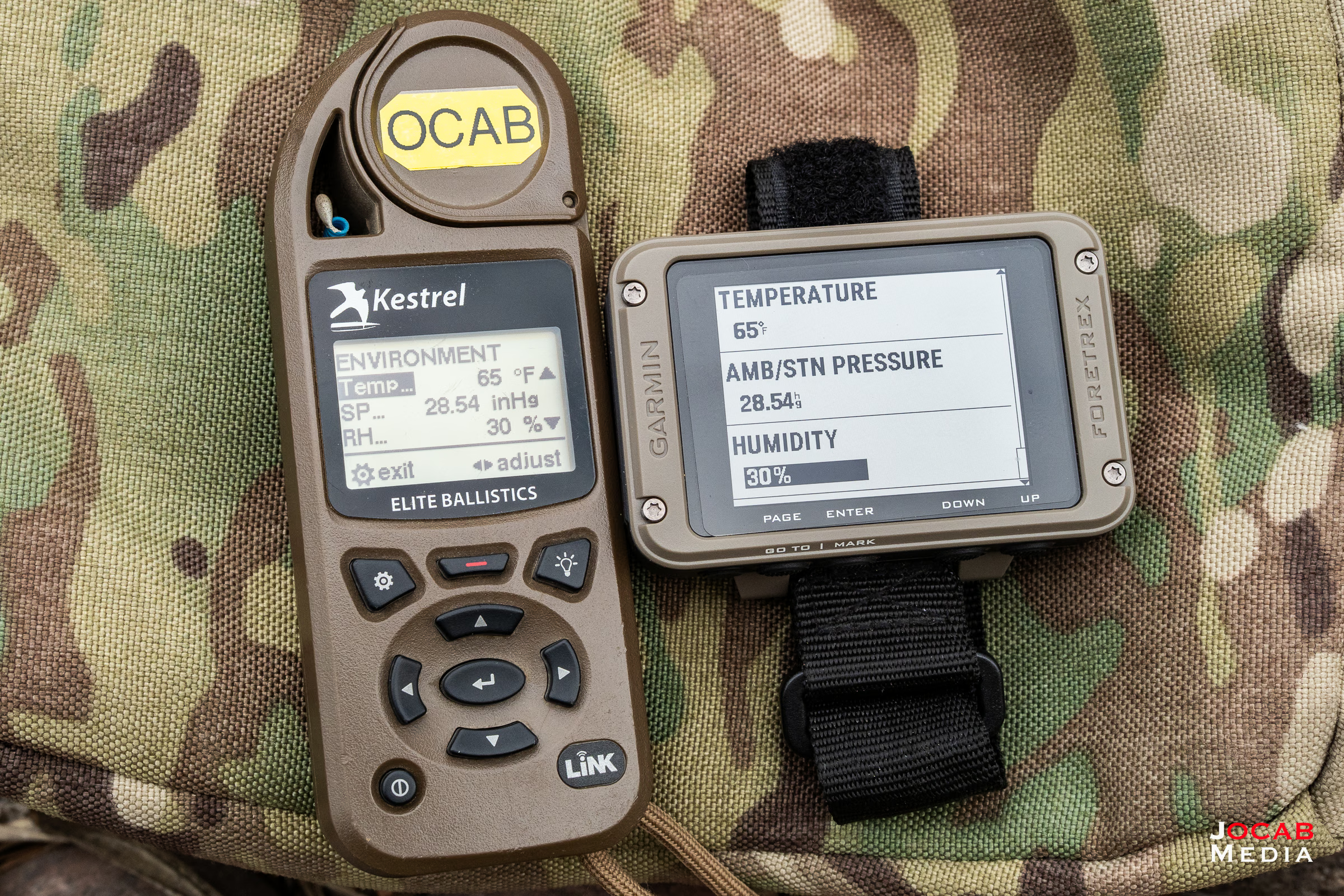
Since the Foretrex 901 does not actually get live data from a Kestrel, you will need to manually enter the temperature, pressure, and humidity from a known good source, such as a Kestrel.
The Foretrex 901 can receive live environmental data from a Kestrel 5700 Elite by using the CONNECT > OTHER > SEARCH FOR NEW in the Settings view. From there, you can add the Kestrel 5700 Elite. For some reason the Kestrel shows up with the name ‘rnet’ in my Foretrex 901. Once connected, you can set the Environmental option under the Applied Ballistics view of the Foretrex 901 to auto update and it will receive data from the Kestrel every 5 minutes.
Amended 2026-02-08
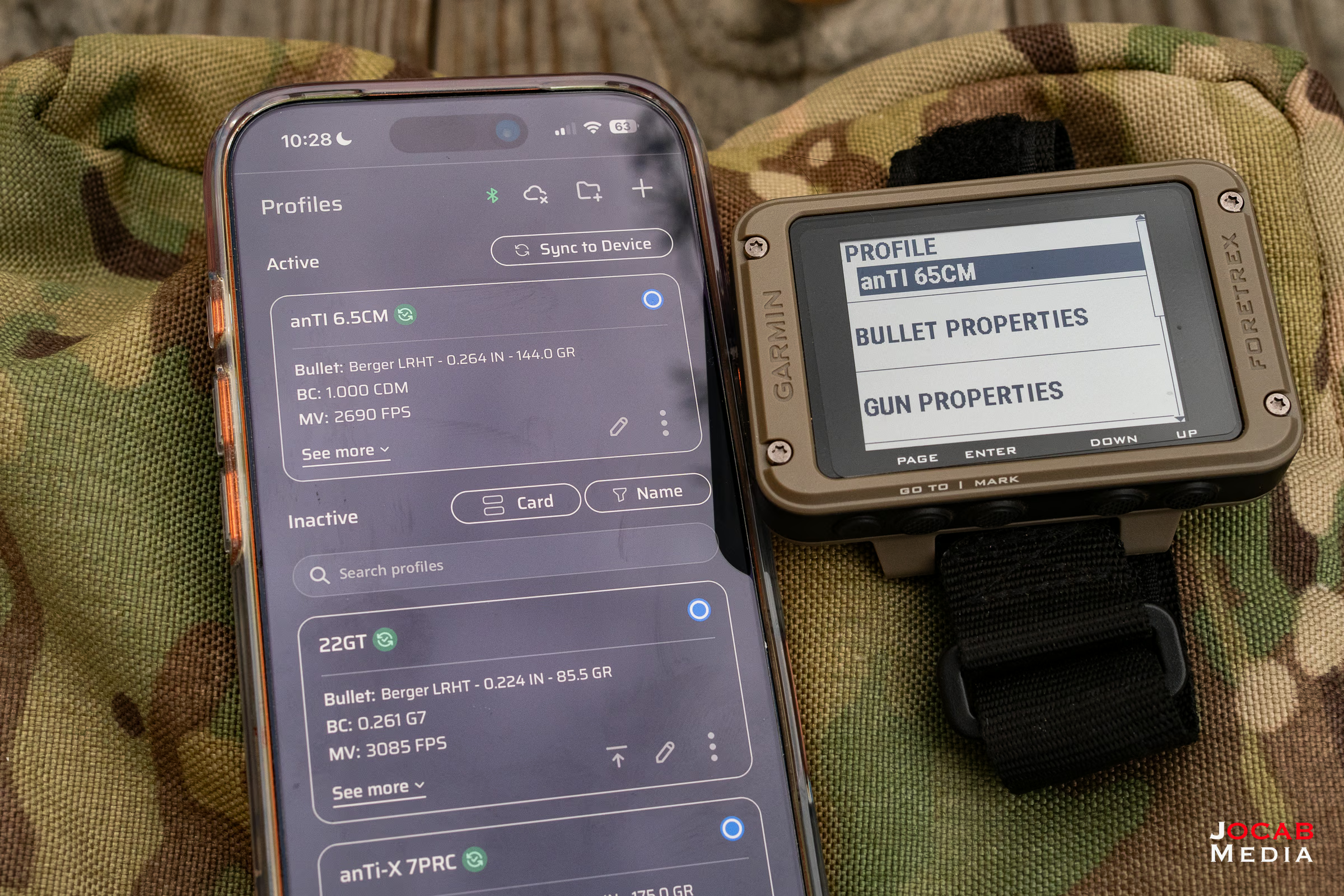
With this all this mind, you will need to have the gun profile(s) configured on both the Garmin Foretrex 901 and the Vectronix Vector X, or whichever AB-compatible rangefinder you are using.
The Garmin instructions indicate to use the AB Synapse – Garmin phone app to manage gun profiles. However, this app is deprecated and superseded by the current AB Quantum app. If you do not already use AB Quantum, it is Applied Ballistics’ premier and flagship application for a smart phone (iOS and Android) ballistic solver and gun profile management tool.
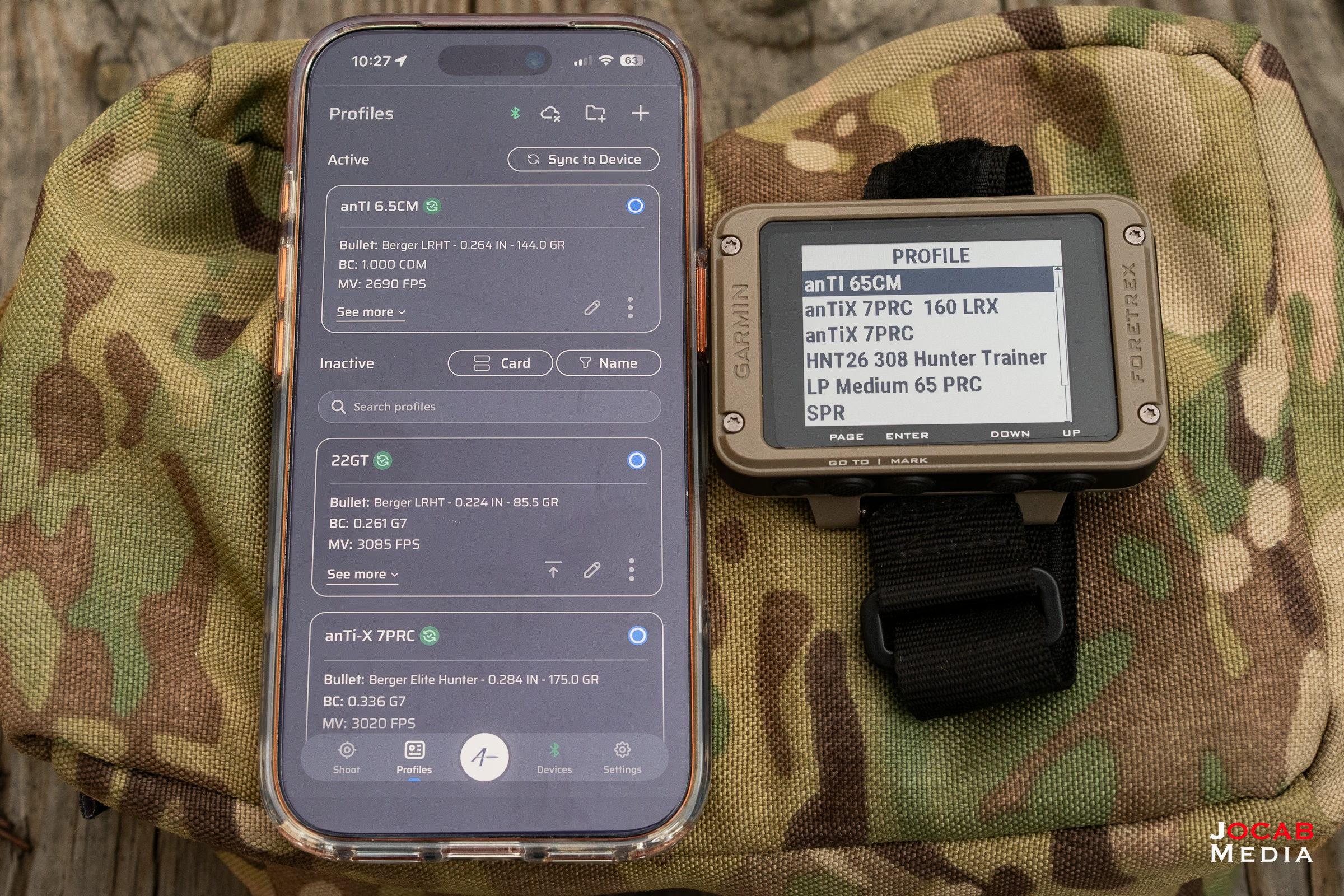
You will create gun profiles in the AB Quantum phone app and then you can sync the same profile to each of your AB compatible devices.
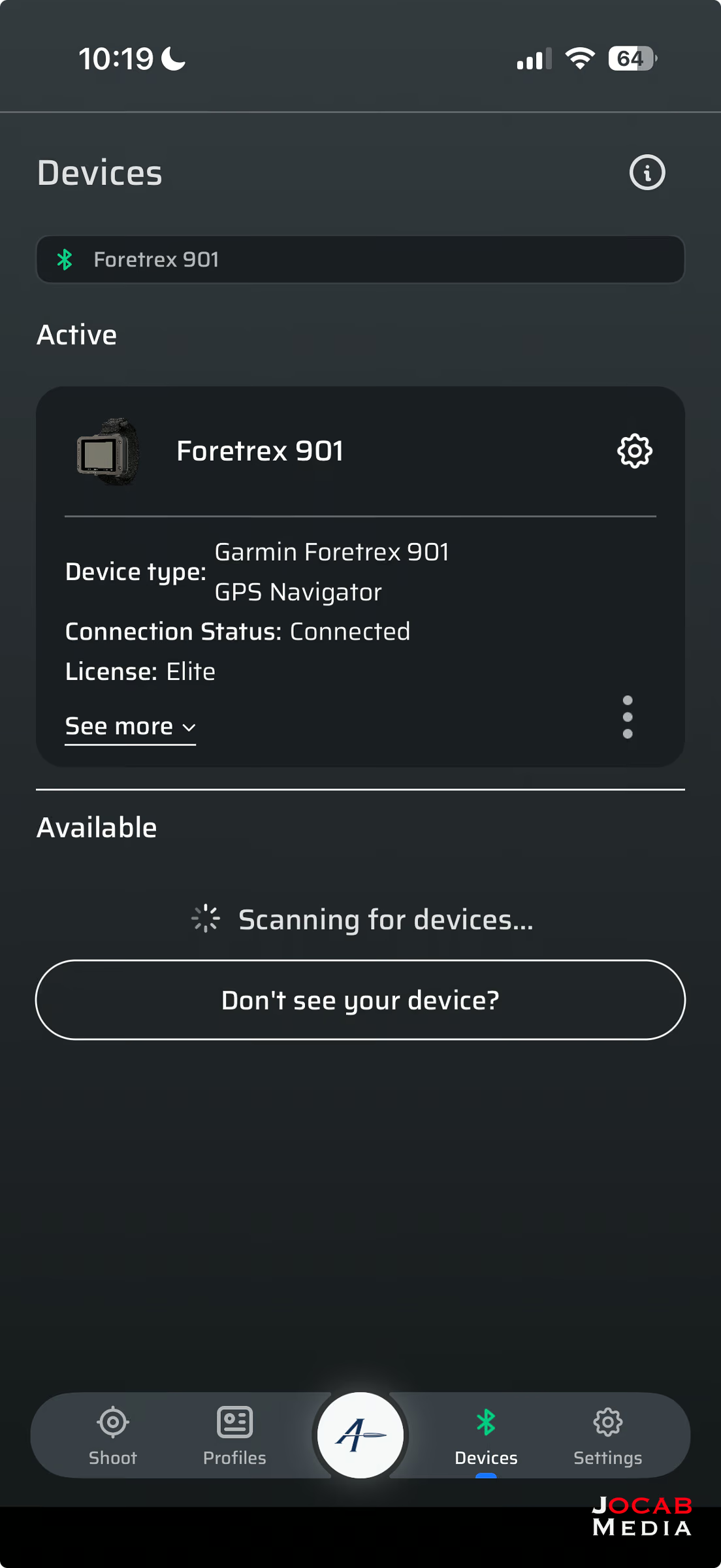
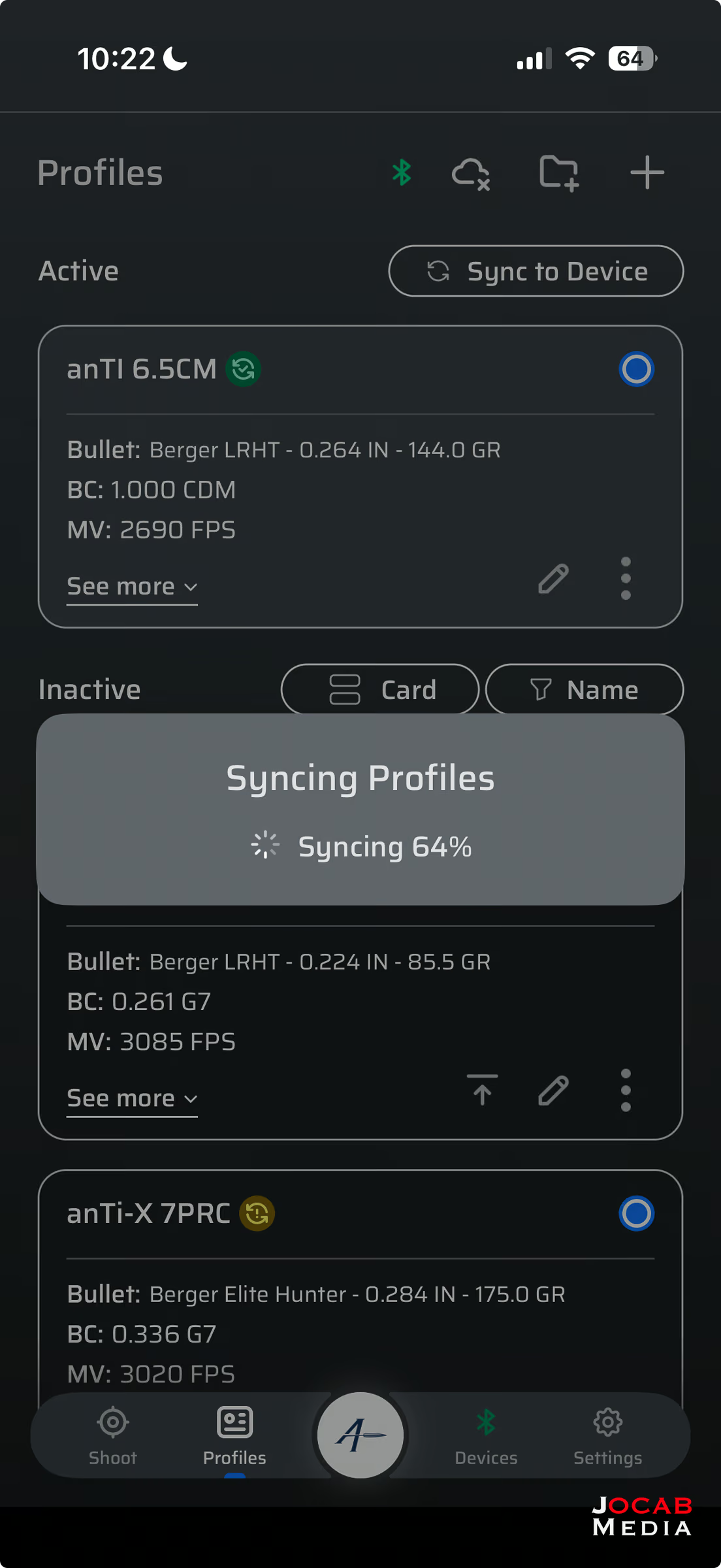
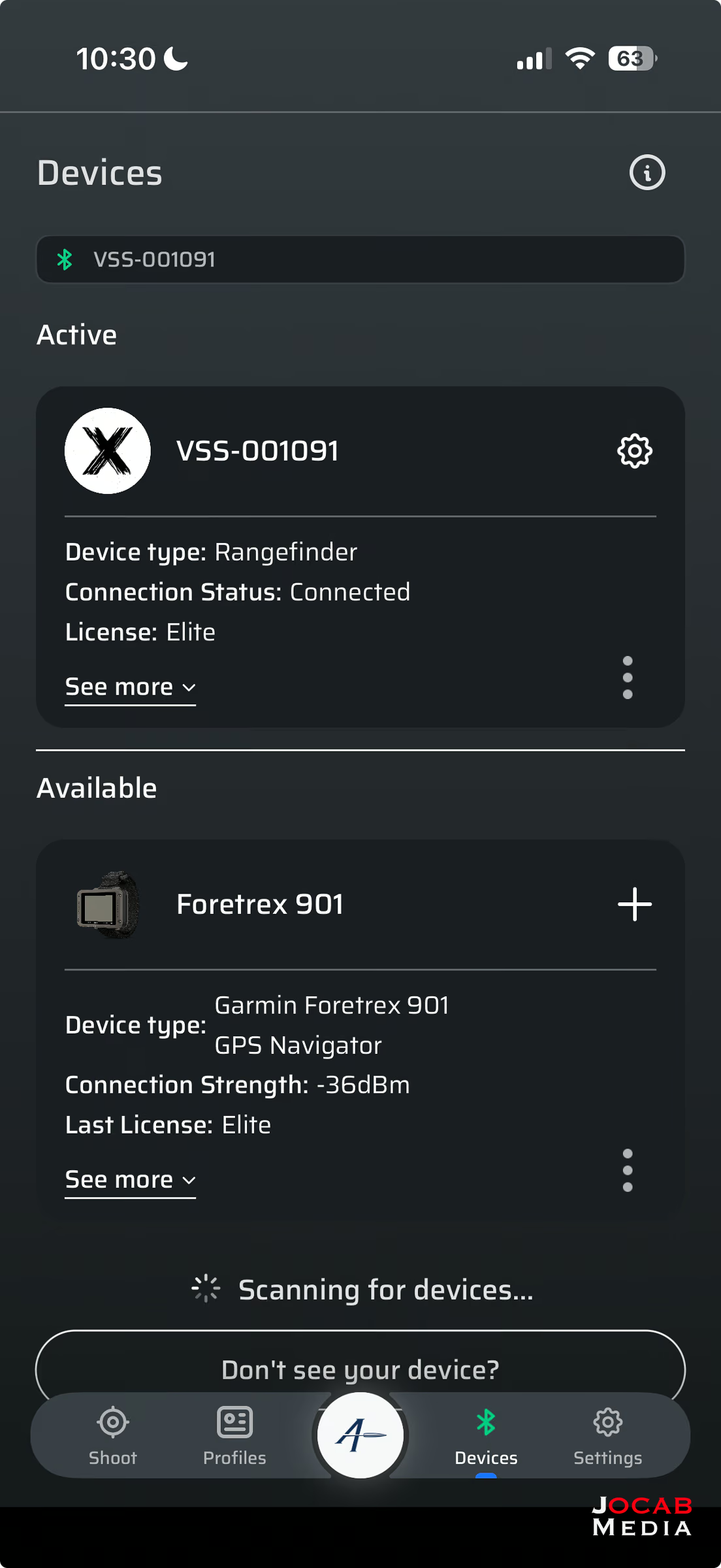
Even if a device has its own app for managing profiles (such as the VECSS iOS app for the Vector X), it is better to simply use AB Quantum for all devices as you can guarantee the same profile is being used on each of the devices, with no discrepancies.
I got a chance to try out the Vector X and Foretrex 901 setup in an NRL Hunter practice match in November 2025 and I think it worked relatively well to the point I feel comfortable running it in an actual NRL Hunter match.
You effectively are opening up the Target Card section of the Garmin Foretrex 901 unit and then applying the distance from the rangefinding binocular to the given target on the Target Card that is selected at the time. You will keep stepping through the Target Card, selecting a different target on the card (e.g,. T1, T2, … T5) for each target to be engaged.
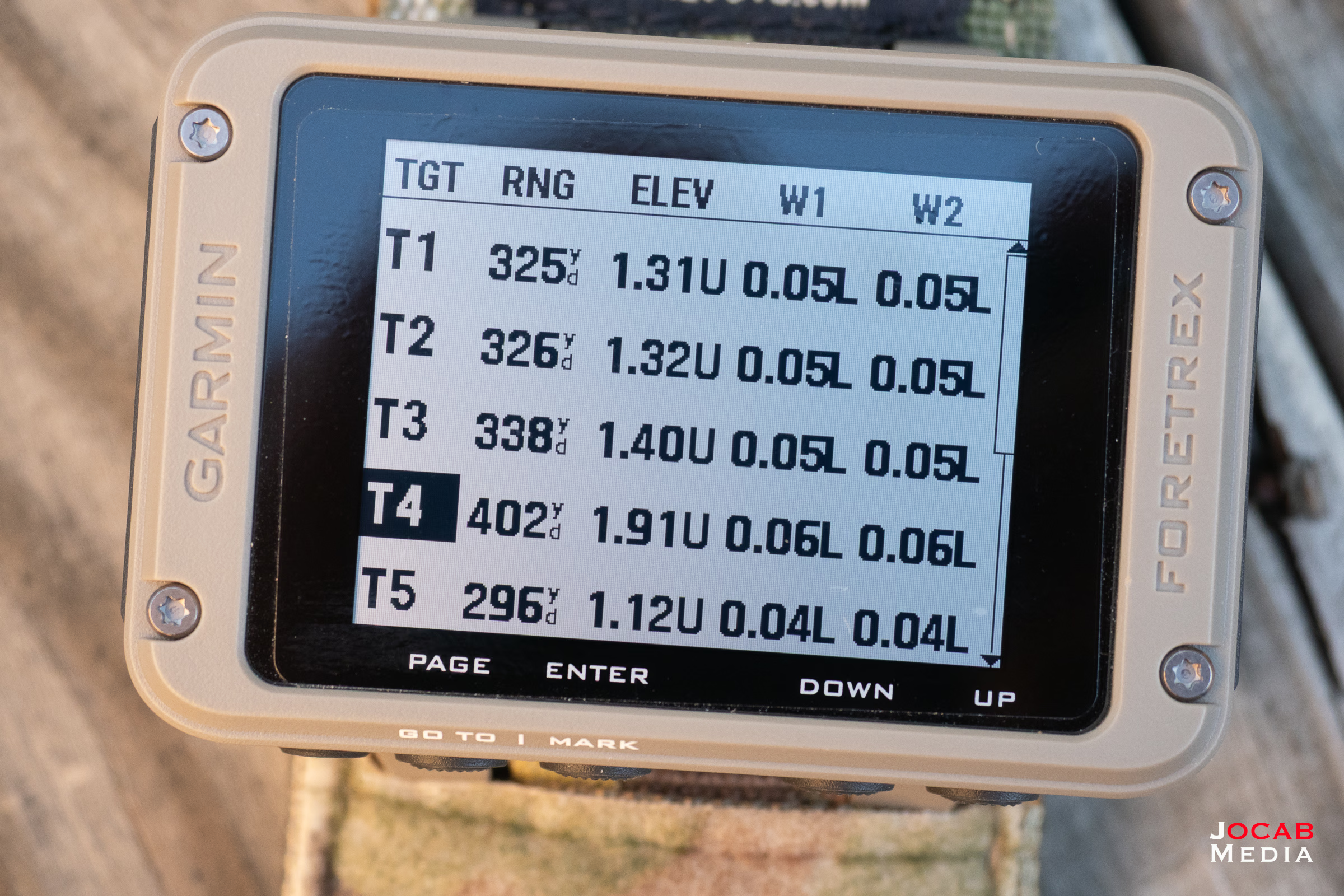
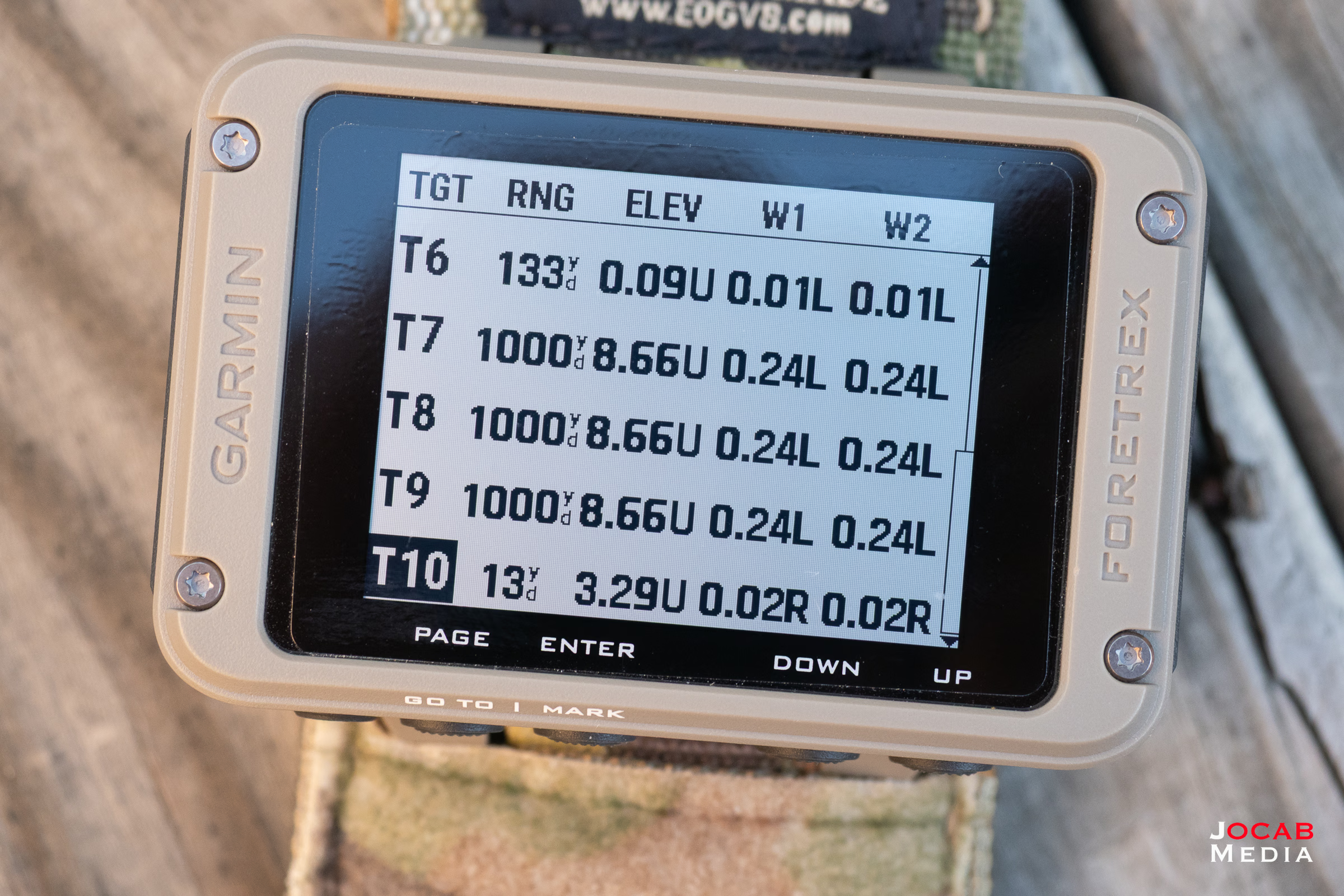
Is this faster than physically writing down the firing solution for a given target on an armboard writing surface? I feel it is, especially if you factor in writing down both the elevation adjustment AND the distance.
Some people may ask, “Why would you write down distance when you only need the elevation adjustment?” My response is that I need to know distance of the target in order to apply my windage adjustment via gun number. If you don’t know what gun number means with regards to windage adjustments or holds, you can search the web or read this article on the Sun and Shadow website.
As it stands right now, I am going to run the Garmin Foretrex 901 as my primary method of recording target data during the stage. I will still keep my index card based armboard, painters tape, and my vinyl card armboard as backups in the event the electronics go down.
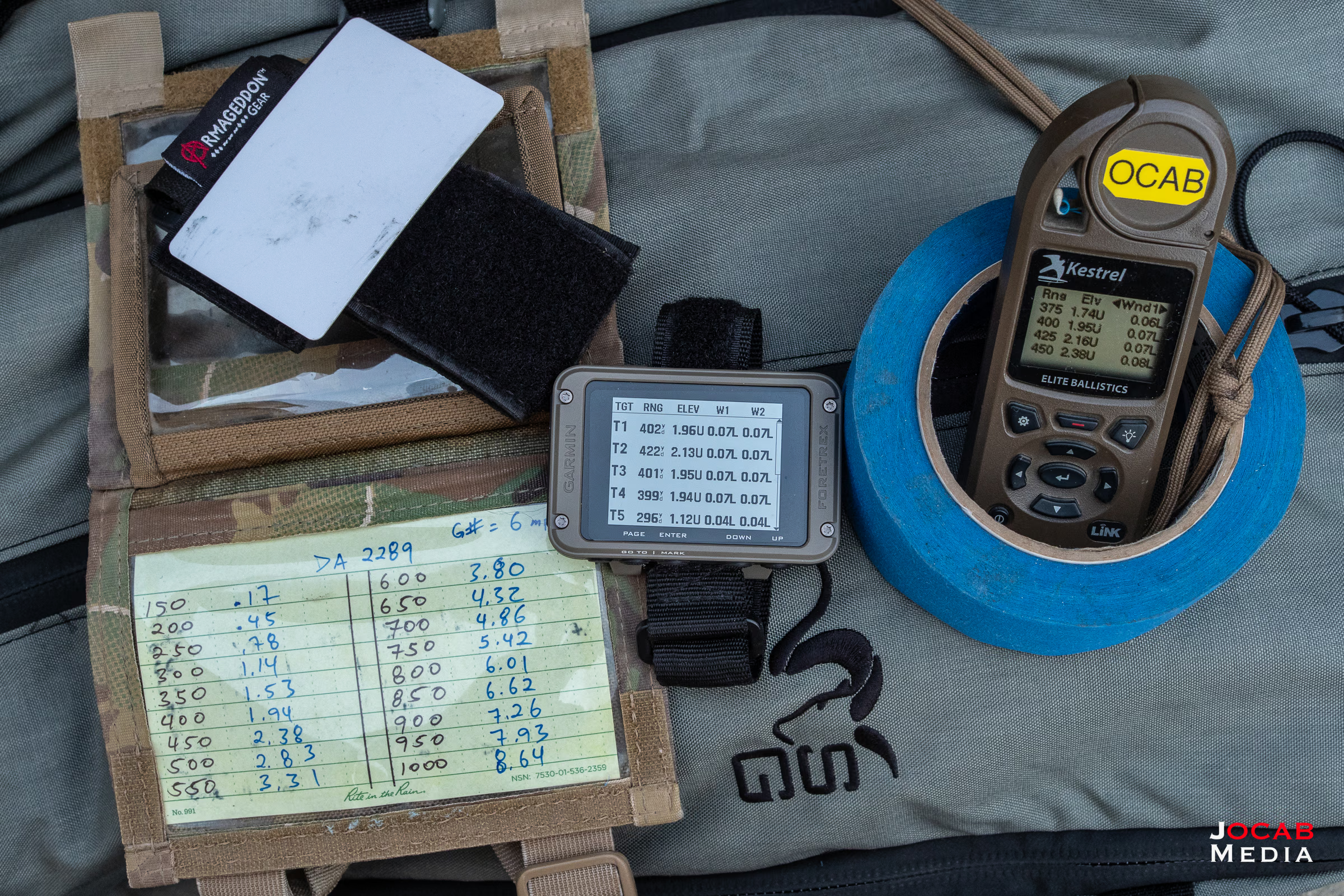
NOTE: I discovered that painters tape will not peel in cold temperatures (below 40F). I did not have my vinyl cards with me at the 2025 NRL Hunter Pro Am in Paulden (Arizona) and the temperatures were in the 10s. I struggled with using the painters tape and I learned that I need to keep a vinyl card and wet erase pen aka grease pen also on hand when the conditions dictate.
Would I recommend the Garmin Foretrex 901 Ballistic Edition?
I feel that this is a very niche product. Anyone who needs a GPS navigation unit for outdoors use will prefer something with a map screen like the Garmin GPSMAP 65s or one that includes satellite communications like the Garmin GPSMAP H1.
The primary benefit of the Foretrex 901 is the Applied Ballistics integration for people who shoot, whether it is for hunting or competition use. The navigation capabilities of the Foretrex 901 need to be supplemented with other maps (whether physical or another device) or with the Garmin Explore phone app.
Therefore, I feel that unless you have a compelling need to have a wrist-mounted device that is Applied Ballistics compatible in order to display a firing solution based on data from your AB-compatible laser rangefinder, the Foretrex 901 has little else to offer.
With that said, I am keeping my Garmin Foretrex 901 Ballistic Edition unit because I fit that very niche, small group of people that can make use of the ballistics capabilities of the Foretrex 901.
If you get the Garmin Foretrex 901, you may find the wrist strap unpleasing. The provided hook and loop wrist strap is only 26mm wide. The Foretrex 901 is 2.9″ x 1.9″ (or ~74mm x ~48mm) which is nearly 3 times as wide as the provided strap, and thus, the unit often feels unstable on the wrist.
While looking around on the web for Foretrex 901 covers, I found a Foretrex 801/901 wrist strap made by a company called Explosive Ops Gear, or EOG.
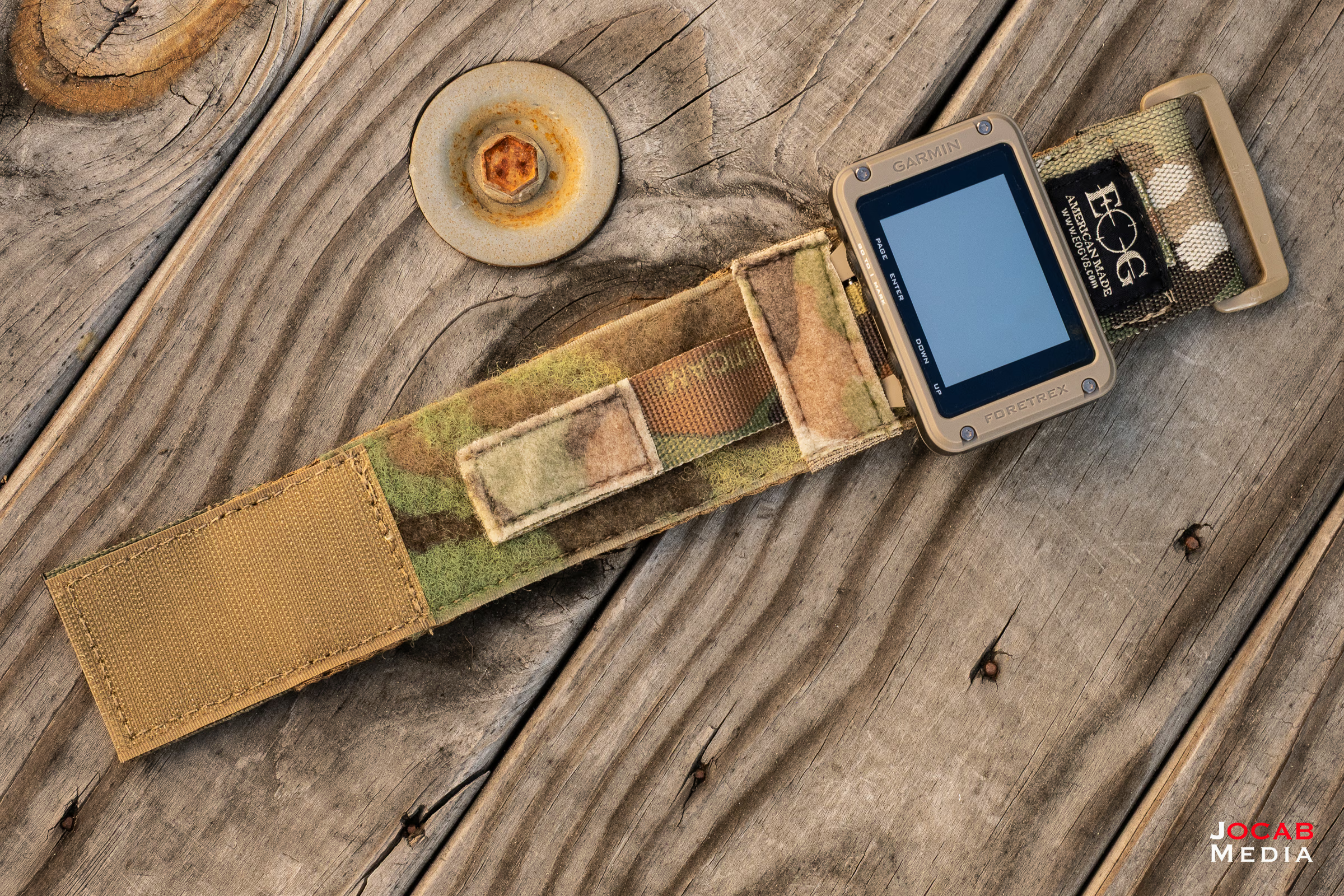
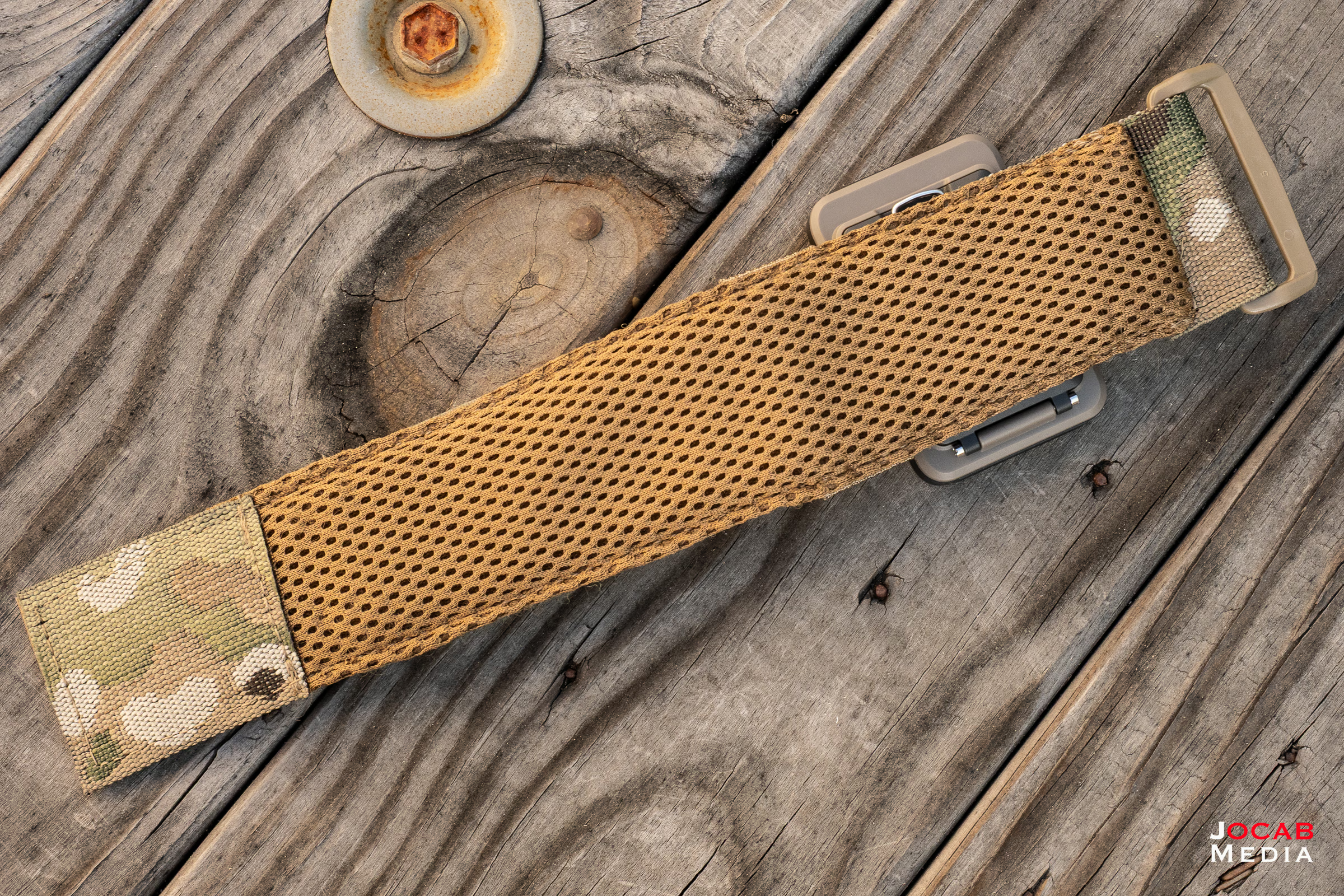
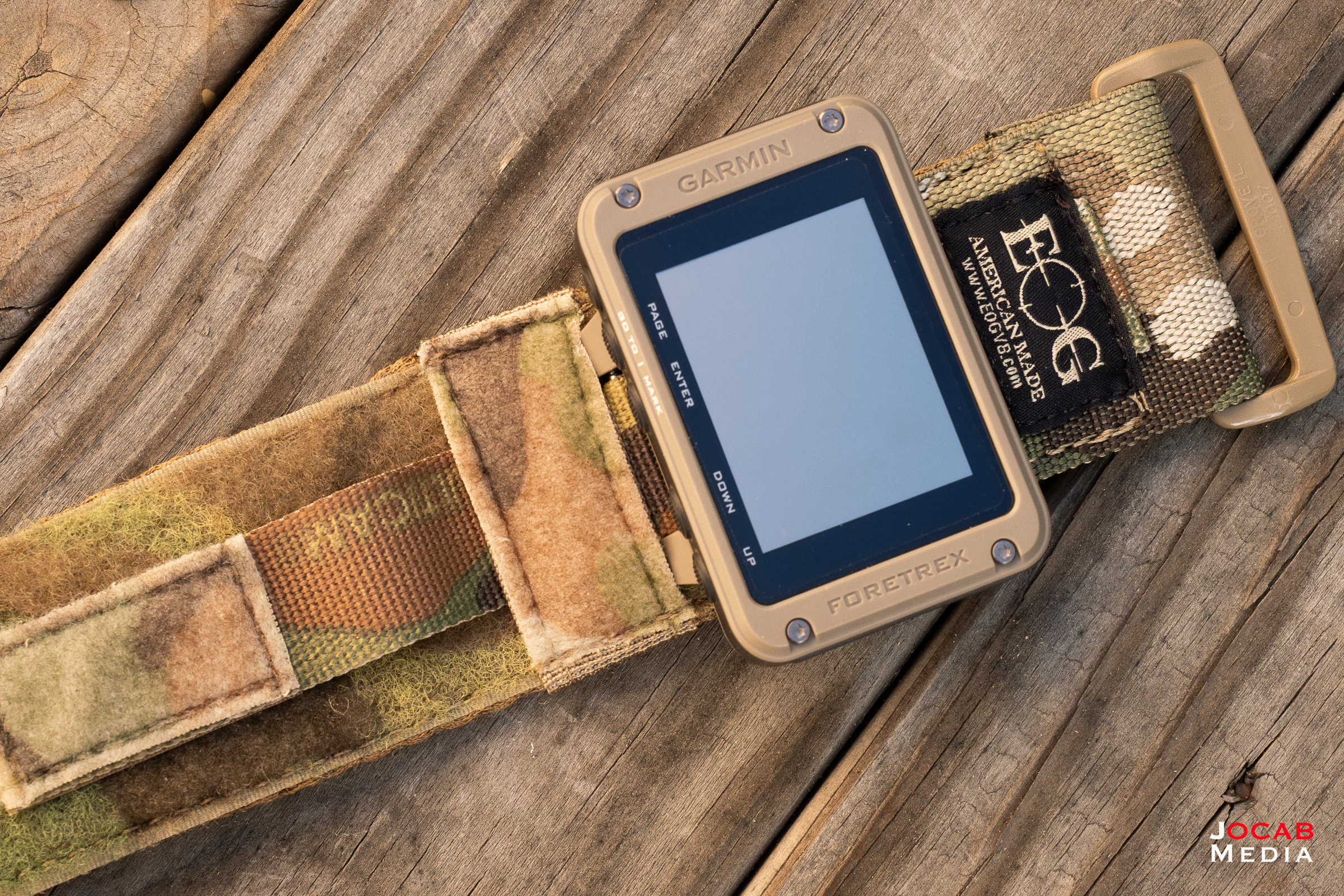
The EOG Garmin Foretrex 801/901 wrist strap is 2″ wide and made out of a nylon material relying on hook and loop to secure the 901 to the strap, and the strap to the wrist. It also has moisture wicking material for the wrist side of the strap to help with sweat.
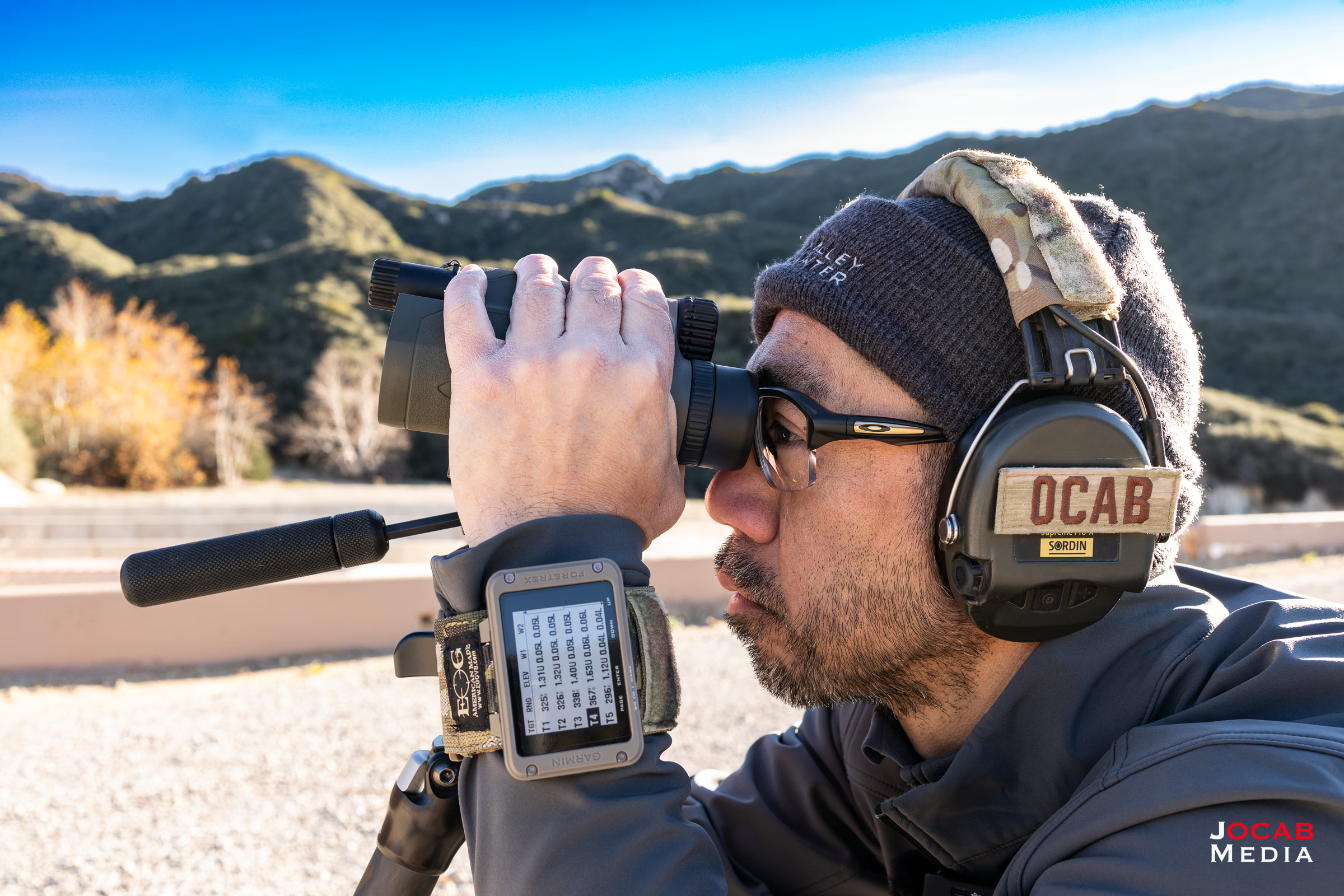
I find that the EOG strap helps to give more stability to the Foretrex 901 on the wrist and is a significant upgrade/enhancement to the Foretrex 901.
With that said, the Garmin Foretrex 901 Ballistic Edition is a very use specific tool for the competitive shooter and depending on your preference (or aversion) towards technology to improve quality of life (or quality of shooting, in this case), the Foretrex 901 might be for you.
Anyone who shoots in ‘field’ conditions may find more use out of the Foretrex 901 with the GPS and navigation capabilities, and the Target Card feature can facilitate the pre-sighting / pre-ranging of sectors in an area of engagement.
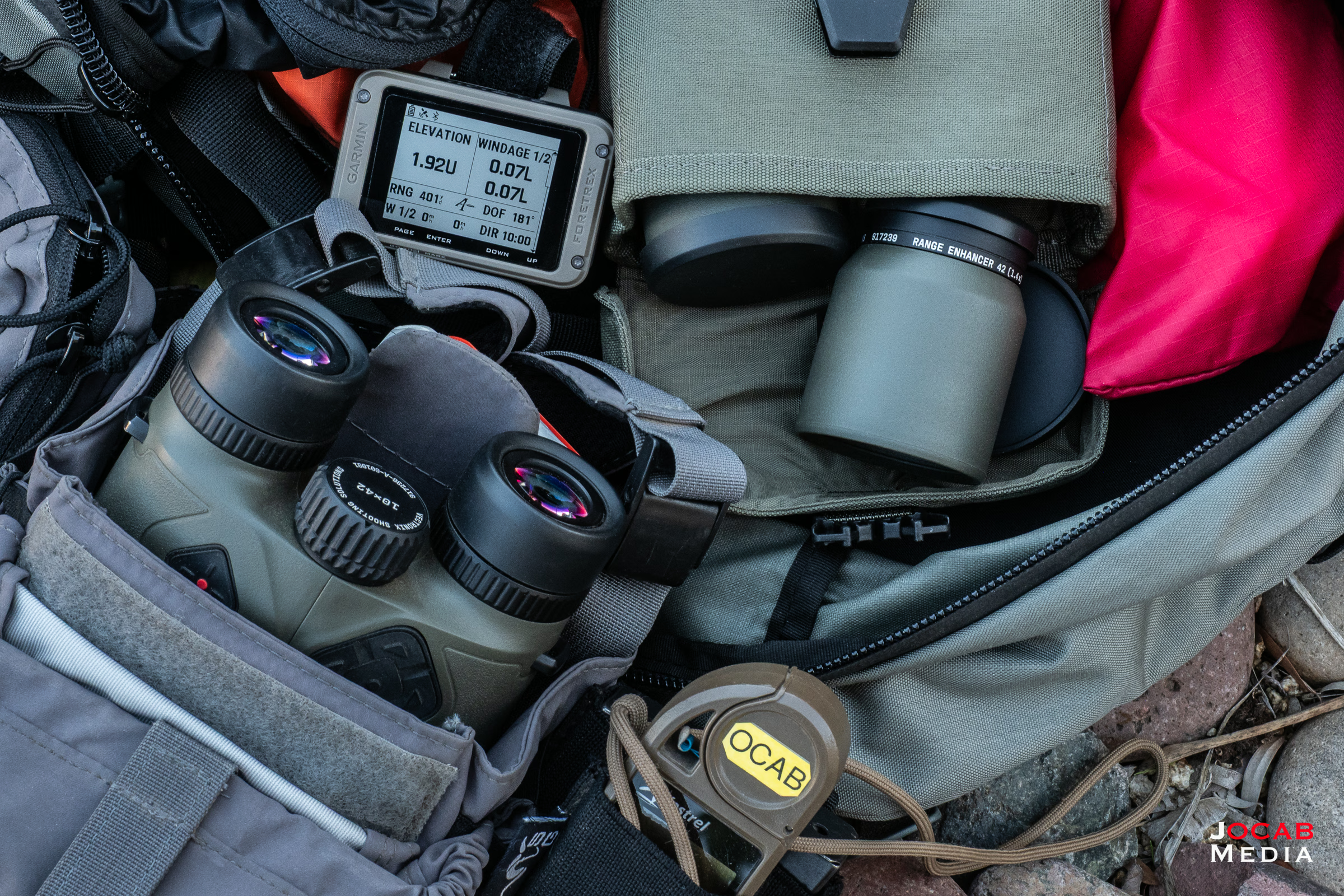
Of course, this is all contingent on having a rangefinder that is in the Applied Ballistics ecosystem.
The Garmin Foretrex 901 Ballistic Edition currently has a retail price of $600 USD and you can find out more about the Foretrex 901 Ballistic Edition on the Garmin website.

Comment on this post