
The Triggercam rifle scope camera is a popular digiscoping solution for recording video footage through a rifle scope. It became popular because it improved on existing digiscoping products by providing a through-the-scope solution with high quality video.
Even though the Triggercam 2.1 has been out for a few years now and I acquired one back in 2022, I have not been using one since that time because of one specific reason: Zero Compromise Optic.
More specifically, the Zero Compromise Optic ocular bell has a diameter of 48.5mm which is too large for the Triggercam 2.1.
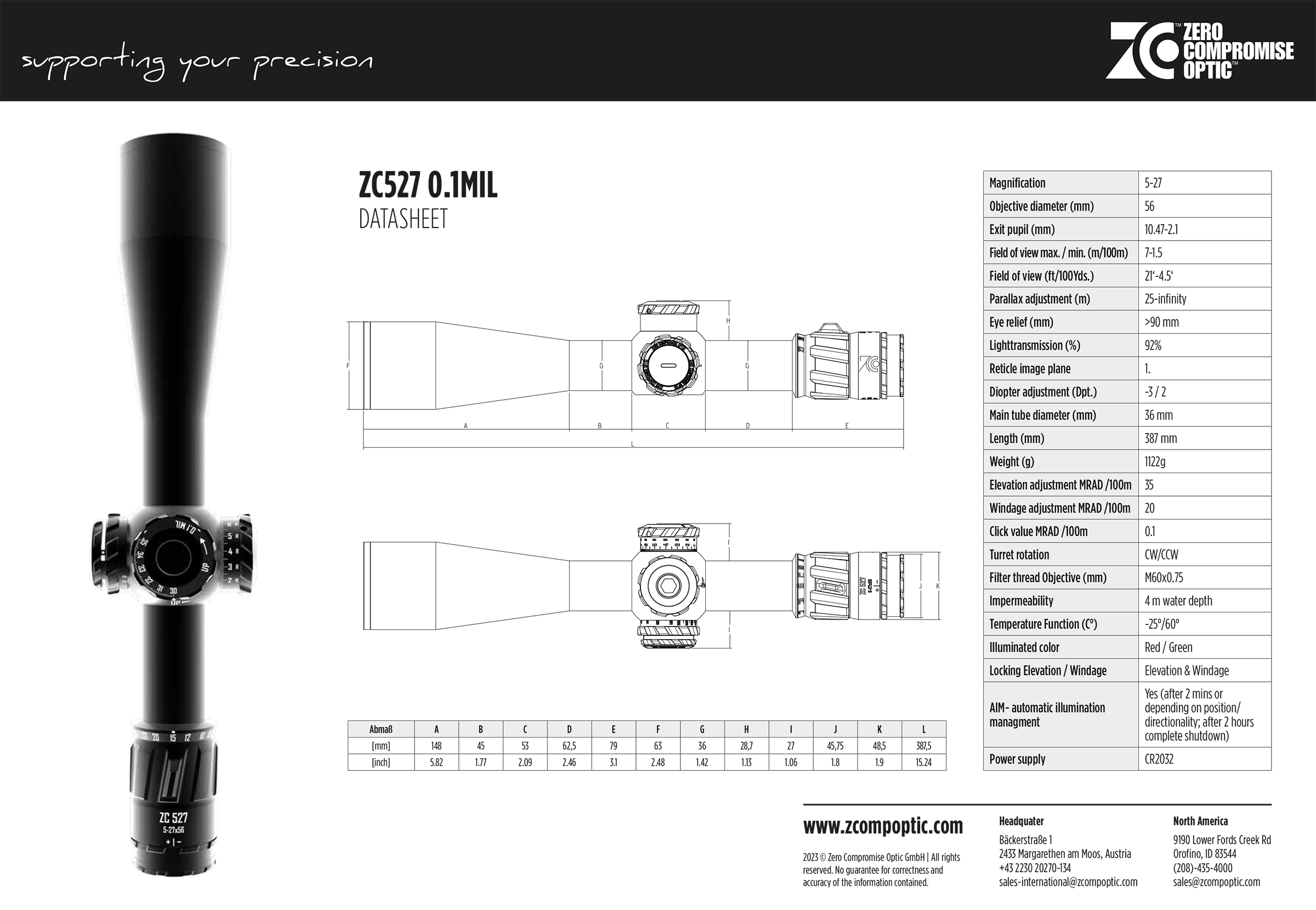
Thus, I sold my Triggercam 2.1 shortly after I acquired it in 2022. Even though I could have used it on other scopes, 90% of my shooting at the time was with my Vudoo Gun Works rifle(s) which both have a Zero Compromise ZC527 scope.
In 2022, I did email Triggercam asking if they would be making a new unit that is compatible with ZCO scopes and I did get a response that they were working on one. A year later in 2023 I asked again and got the same response. Then in 2024 I emailed again and this time I got a response indicating they would be releasing it later in the year.
For several months and a lot of announcements about it be released, along with a pre-order inquiry list, I finally was able to get my hands on the Triggercam 2.1+ in December 2024.
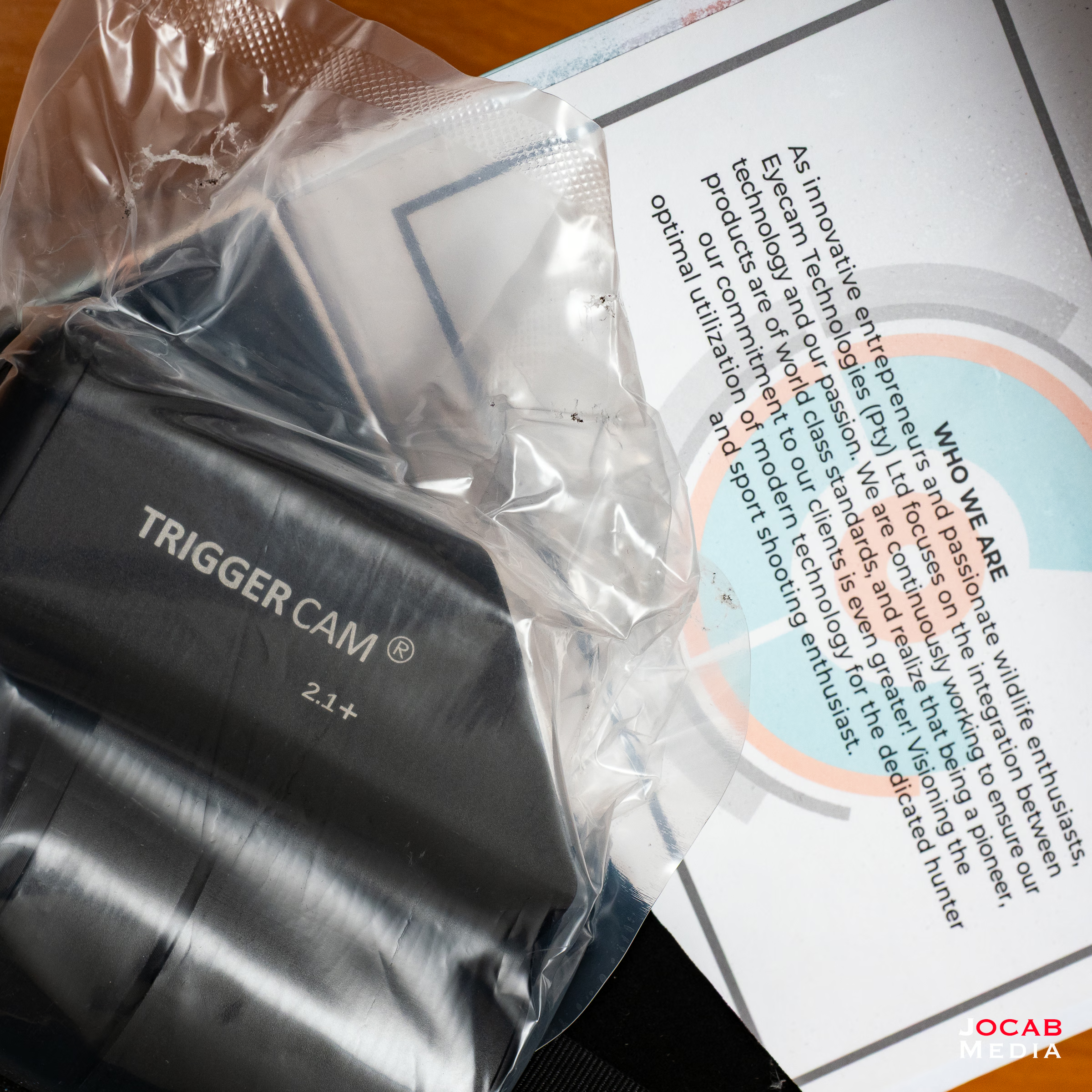
The Triggercam 2.1+ has the same technical specifications as the Triggercam 2.1 and from a final recording output standpoint, they are the same. For some reason the official Triggercam website does not have the specifications, and neither does the website for the primary United States distributor. However, the following specifications are pulled directly from the Triggercam website for the 2.1+ unit with adjustments in bold red text.
| Aircraft grade aluminum and proprietary anti shock materials: | Military grade design, engineered to withstand recoil force and unforgiving outdoor conditions |
| Dimensions L x W x H : | 100mm x 50mm x 93.2mm (COULD BE DIFFERENT FOR 2.1+) |
| Weight: | 453 grams (COULD BE DIFFERENT FOR 2.1+) |
| Rifle Scope Eyepiece compatibility: | |
| Smart Phone APP: | TRIGGERCAM 2.1 APP available on Android, IOS & Huawei operating systems. Live streaming capability, video gallery, camera control, download and edit videos. |
| Memory: | SD Card up to 128G, Class U3 or Above. |
| Wi-Fi: | Integrated Wi-Fi with live streaming function and instant downloading of videos |
| Quick record: | Switches on power and record function for instant recording |
| Optics: | Multi coated optical lens for optimal performance. |
| Input Voltage: | 5V |
| Waterproof: | IP64 rating |
| Battery: | Integrated lithium ion battery with 2.5 hours recording time, and 3 hours standby time |
| High definition slow motion video replay: | 4 x (1080P 100/120fps) / 8 x (720P 200/240fps) |
| True sound microphone: | Able to record high quality sound 360 degree true sound, able to switch on and off |
| Resolution: | 4K 30fps |
| 1080P 120fps/60fps/30fps | |
| 720P 240fps/120fps | |
| USB: | C-type USB |
| HDMI: | Micro HDMI for TV output |
| Video output: | PAL/NTSC |
| Recording Timing Alarm: | Off/3min/5min/10min |
| Input Voltage: | 5V |
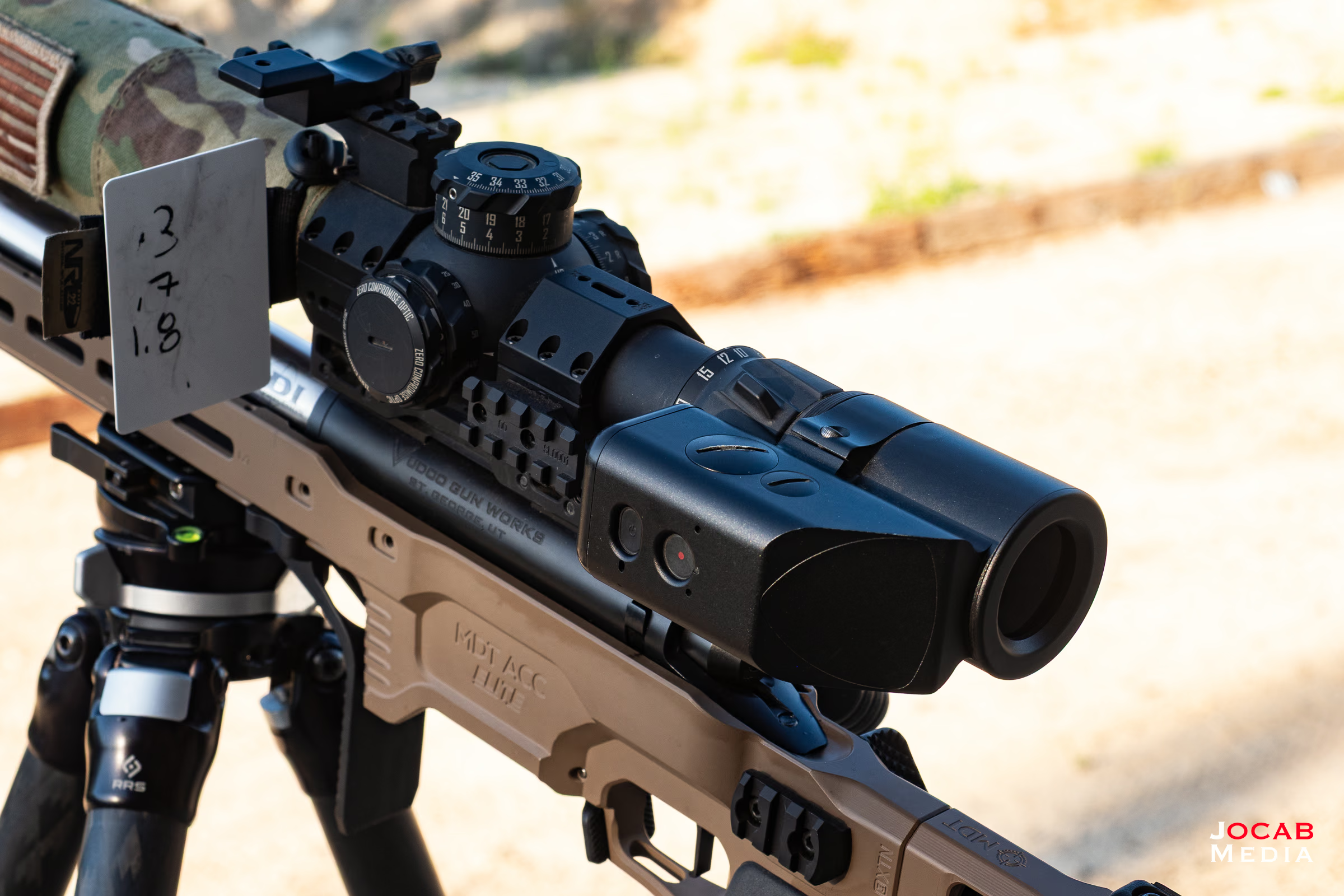
The specific differences between the Triggercam 2.1 and 2.1+ is the housing. The original 2.1 was designed to be run with the housing at the 12 o’clock position. However, with the larger diameter clamping section, the Triggercam 2.1+ is designed with the housing clocked to the left side of the rifle (when viewing form behind) at the 9 o’clock position.
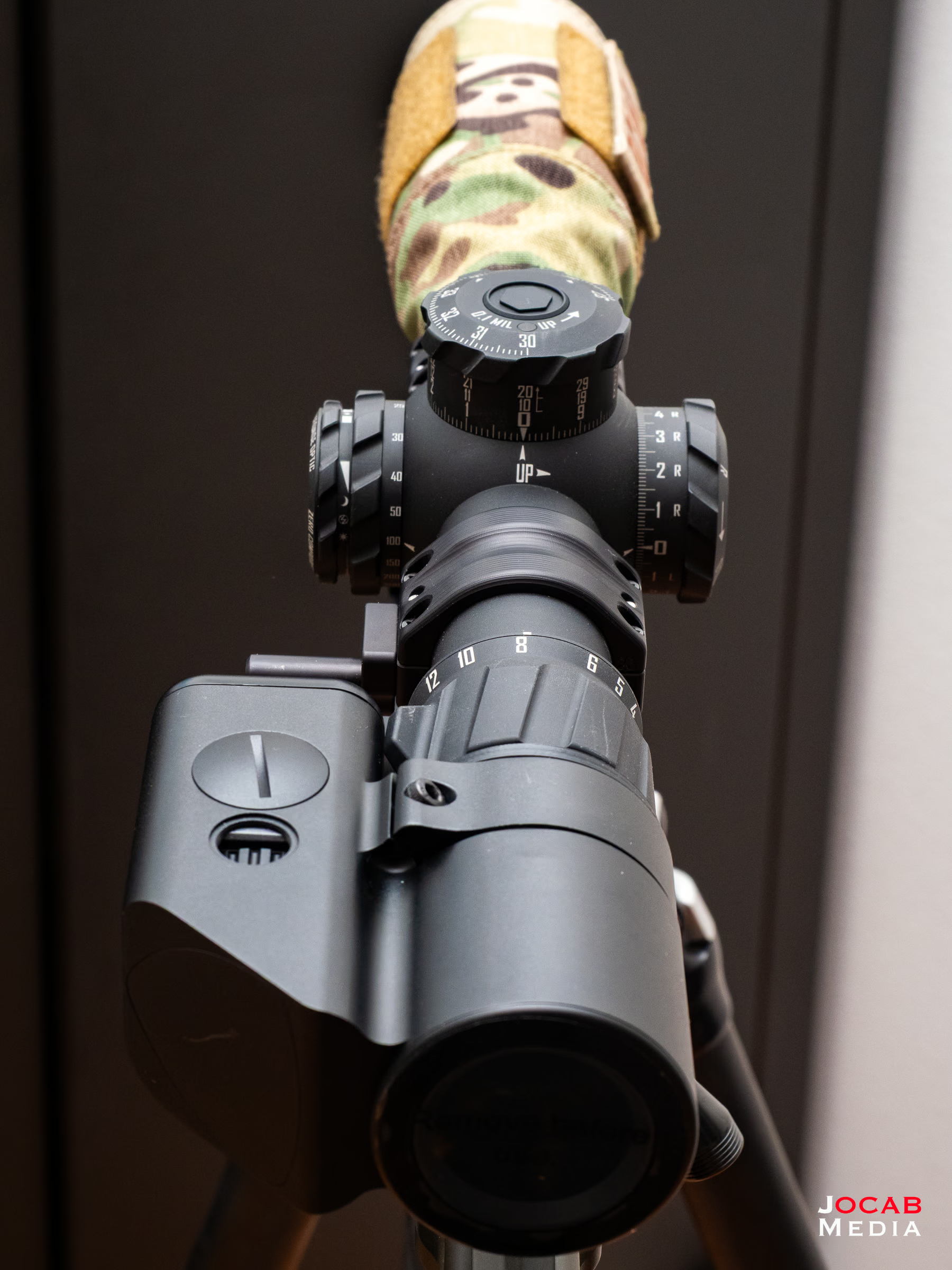
I am not entirely sure why this was designed this way. However, he housing will actually interfere with the magnification ring on scopes such as a Zero Compromise Optic with a built-in throw lever.
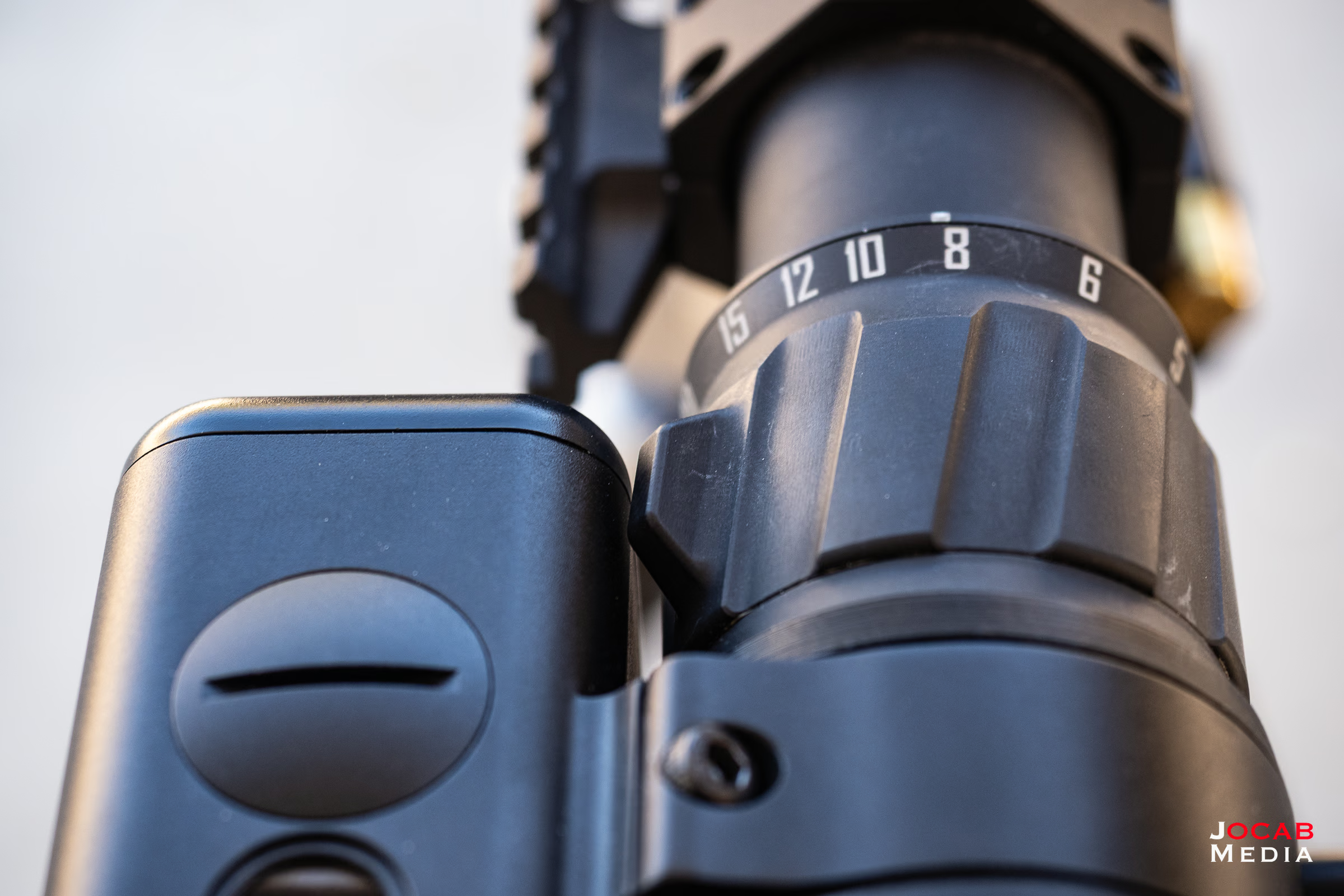
As you can see above, the throw lever on the magnification ring makes contact with the housing of the Triggercam 2.1+. If the housing were at the 12 o’clock, it would prevent any use of the magnification ring.
However, it still does impact the magnification range of a ZCO as shown in the above photo, the lowest adjustment that can be achieved while the housing is at the 9 o’clock position is about 8x (confirmed on both a ZC527 and ZC420). One could clock the housing a little further to say the 8 or 7 o’clock positions to gain more of the low end of the magnification range and adjust the video in post.
In theory, Triggercam could have offset the housing away from the scope. Although I do not know what impact that has on the overall optical system. Furthermore, how much to offset would be subjective because there are other scopes with throw levers that could vary in height.
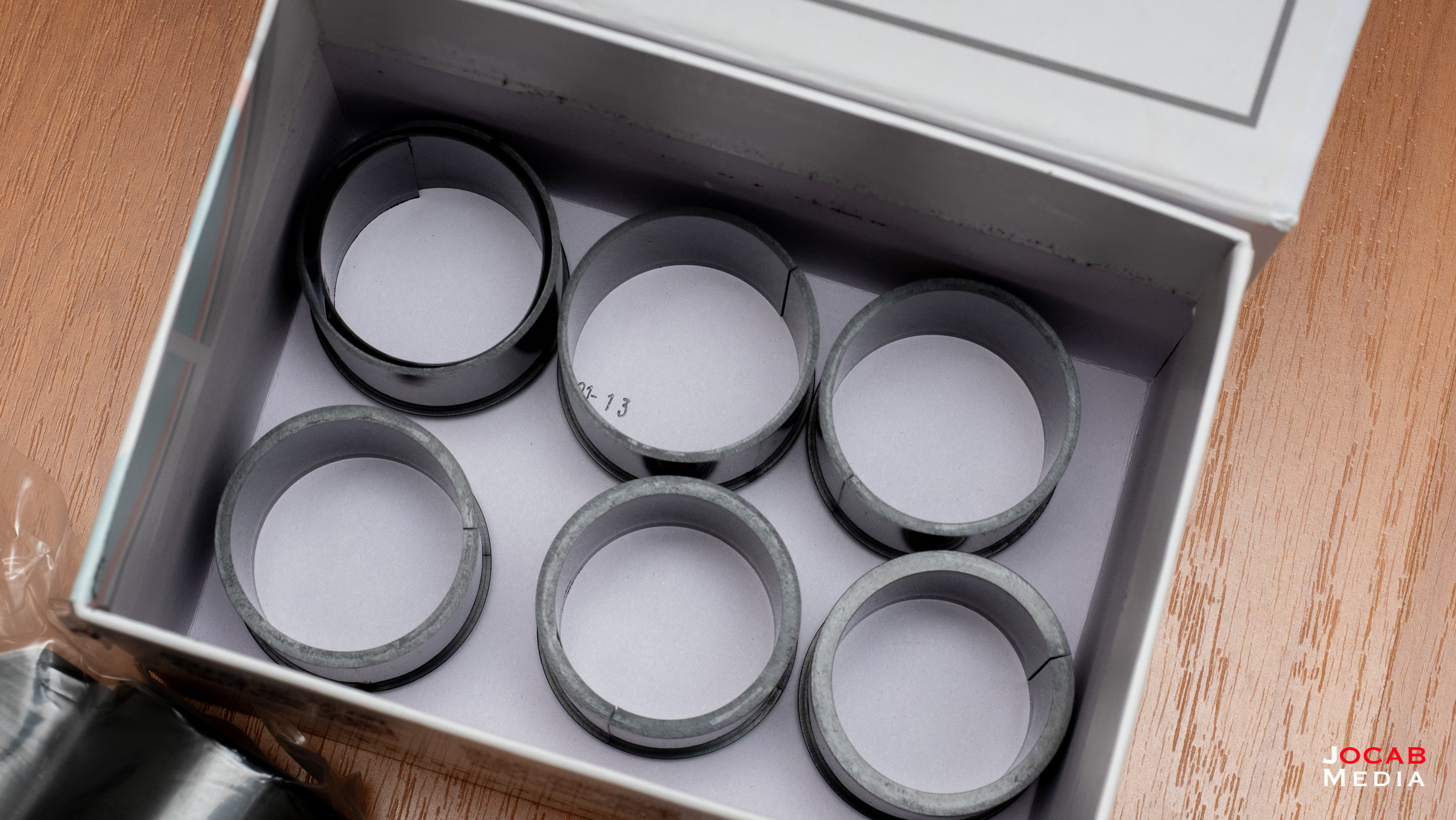

The Triggercam 2.1+ comes with a variety of sleeves necessary to accommodate different scope ocular diameters and a 32GB Micro SDHC card.
Granted, 32GB is a little small if you are going to record a solid day’s worth of shooting (e.g., a match). Given the price of the reliable and fast Samsung Pro Micro SDXC card is under $20 for 128GB, you are best served getting a larger card to handle a weekend’s worth of footage (e.g., 2-day match).
In general, I am satisfied with the Triggercam 2.1+, mainly because it is still the clear cut best option out there for a through-the-scope camera.
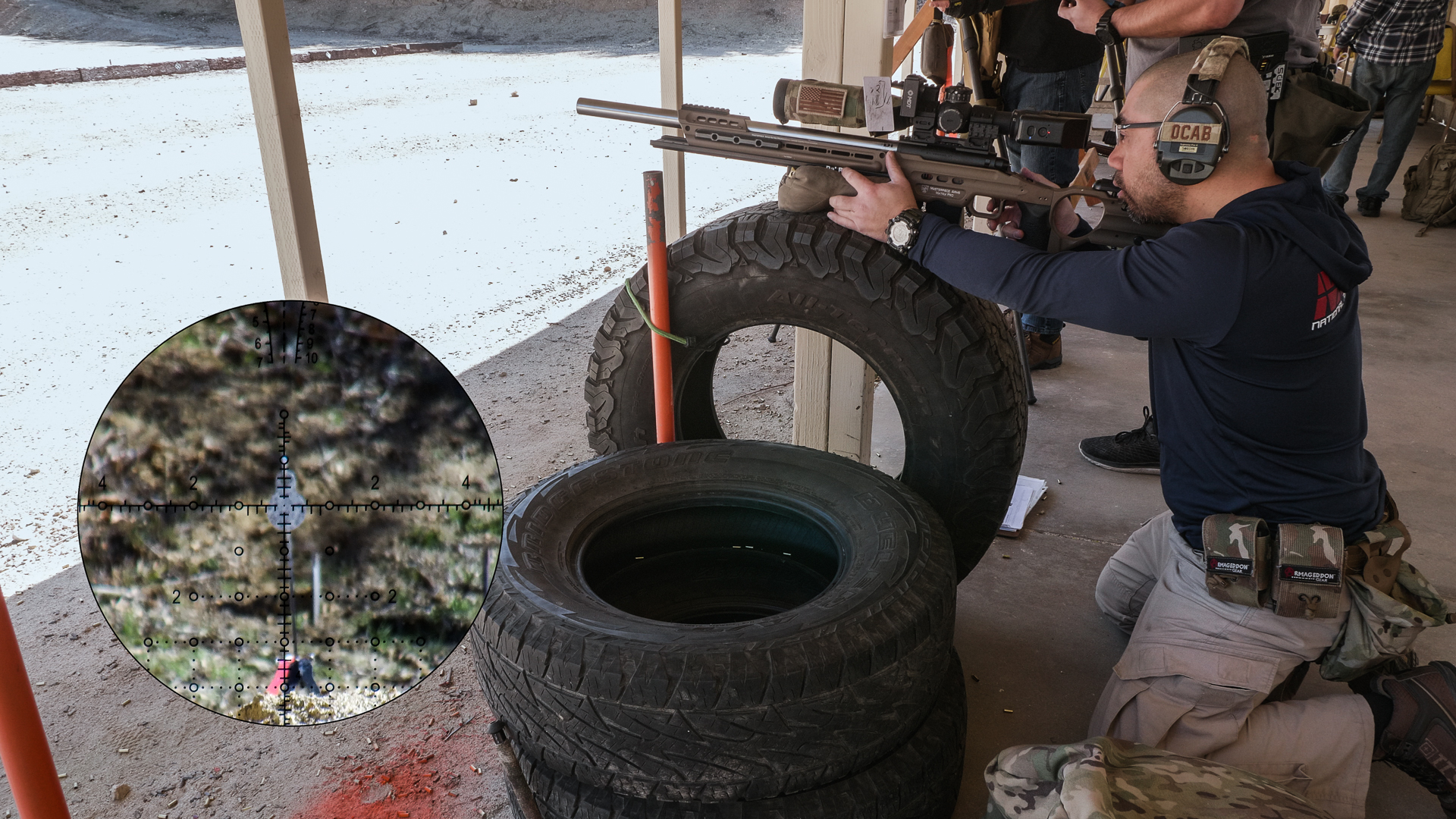
The quality of the video is still considered the best out there, compared to other cameras such as the Tactacam and the ScopeMate. The depth of field is more than adequate when it comes to focusing the reticle and keeping it all in focus. I tried the ScopeMate S28 and could not get most of the reticle in focus at the same time and either the left side or the right side would be in focus.
Note: I wrote this article several months ago in 2025 and never published it until now. See the end for an additional addendum regarding the ScopeMate S28.
For those unfamiliar on how a Triggercam 2.1/2.1+ is setup, you will select one of the corresponding sleeves to fit around your scope ocular and under the Triggercam 2.1/2.1+ clamp. Clock the Triggercam on the ocular accordingly and then torque down the clamp to about 15 in-lbs (no more). You then adjust the focus of the camera to the reticle by using the diopter / focus wheel that is under a threaded cap.

Note that you will need to either use the phone app live stream feature or a field monitor or other HDMI compatible display to get the Triggercam in focus.
The phone app is mediocre to say the best. It’s not the greatest user experience, but it is functional to help configure the Triggercam and to live view the camera. Note that there is a latency for the video streaming to the app so if using the phone app to level the Triggercam to the reticle, work slowly and wait for the video to update.
As with your eye, you must adjust the parallax as you view different differences as the Triggercam will record the same image your eye is seeing.
The Triggercam 2.1+ records up to 4K 30fps and is what I have mine set to for my content, as my main cameras are recording in 4K.
While the Triggercam 2.1+ is the best through-the-scope camera on the market, it does not come without caveats, aside from the already mentioned magnification ring interference issue.
First off is that there is going to be some amount of vignetting. What this means is that the scope image may appear dimmer on one portion of the frame than the other. This is due to how the Triggercam may line up with the scope itself as it is mounted to the ocular. I have found that you will want to place pressure on specific sides of the Triggercam as you press the Triggercam against the face of the ocular bell while torquing the clamp screw to get the image the most clear in frame.
This does mean you will want to use the Triggercam phone app with live feed as you mount the Triggercam onto the scope, or better yet, use an HDMI field display connected using an HDMI cable, even if you already have the Triggercam focused for that particular scope and you constantly remove and reinstall the Triggercam on the same scope.
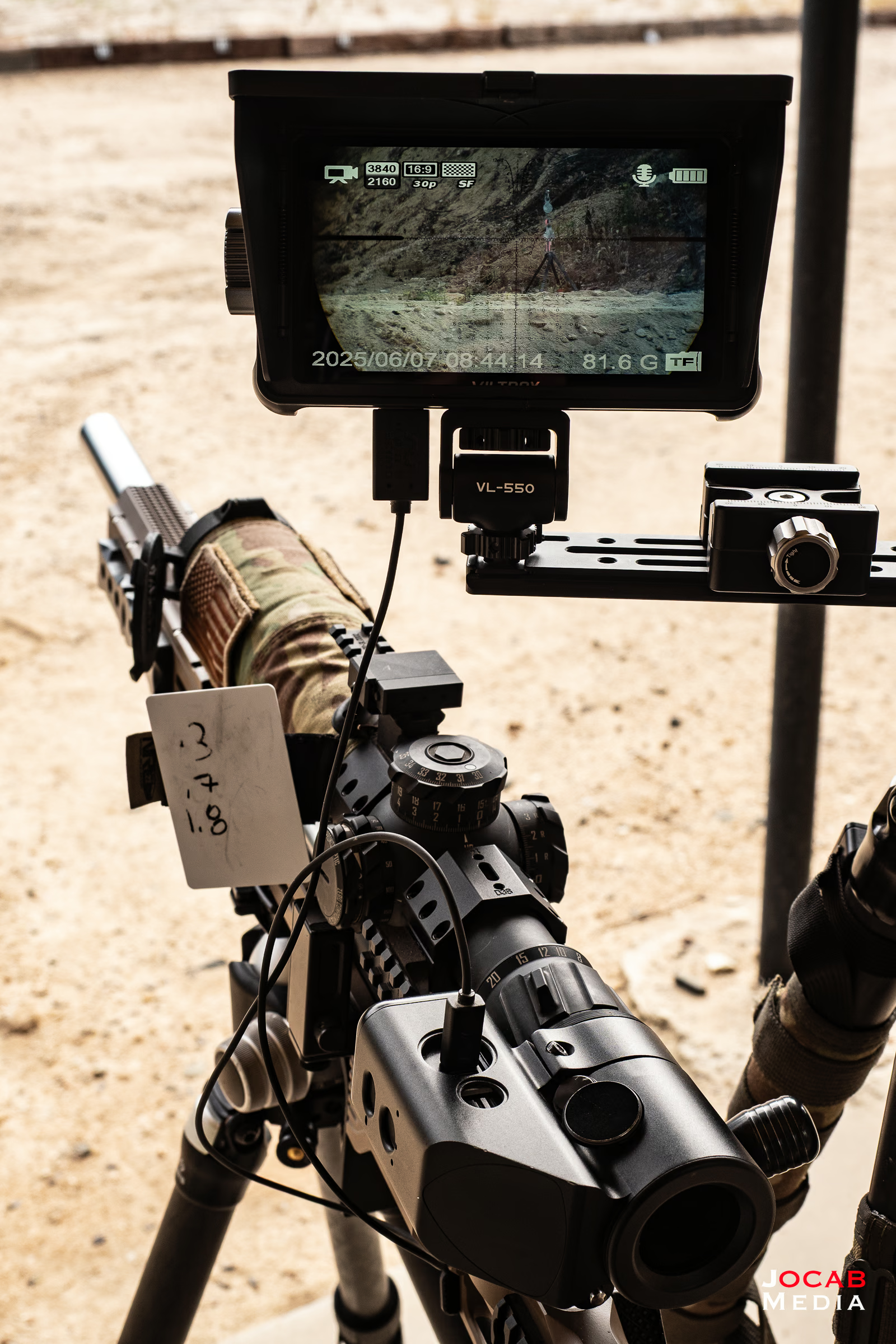
Another issue that I have found is that the buttons are not very responsive. You have to press and hold deliberately in under for the on/off and record buttons to respond. It is very important to watch and listen (assuming audible alerts configured) to make sure it is recording when you want it to. On some occasions I was not recording when I thought I hit record.
The non-removable battery is a bit of a negative, only because you have to be very careful to stop recording when you are done collecting footage. Several times I neglected to stop recording after a stage at a match, only to discover it had been recording until my next stage and running down the battery. Since the battery is non-removable, you will need to carry a USB battery pack to charge on the fly.
I carry a couple of spare USB battery charging packs in my kit, particularly during NRL Hunter matches, in order to make sure I can charge in-between stages if I discover the battery might be low.
With all this said, the Triggercam 2.1+ is not perfect, but it is functional for me on my Zero Compromise Optic ZC527 units that I use for rimfire (NRL22) and ZC420 that is on my NRL Hunter rifle. There isn’t a show stopper for me with the Triggercam 2.1+ and I am able to run it on my rifles in competitions.
Independent Solutions LLC is currently the primary United States distributor of the Triggercam 2.1 and Triggercam 2.1+ units at https://buymylabradar.com/products/triggercam-2-2. The current prices as of the time of writing is $620 USD.
Should you get a Triggercam 2.1+? If you already have a Triggercam 2.1, no.
The 2.1+ is only needed for scopes like ZCO which have larger ocular housing diameters. Note that the newer Kahles K328i and K540i scopes have ocular housings of 52mm which are too large for the Triggercam 2.1+.
If you do not already have a scope camera and are looking for one, the Triggercam should be strongly considered (either 2.1 or 2.1+). It has been proven to work for most scope applications and is widely used across the world as evident in various online through-the-scope content. Even with the slight quirks, I feel like the Triggercam’s video quality will make up for any hurdles that must be jumped to make this work on your scope.
As mentioned earlier, I tried the S28 and could not get it focused properly on my Zero Compromise Optics ZC527. I could not get the entire reticle in focus. ScopeMate has released revisions of the S28 including one with a rear LCD touchscreen.
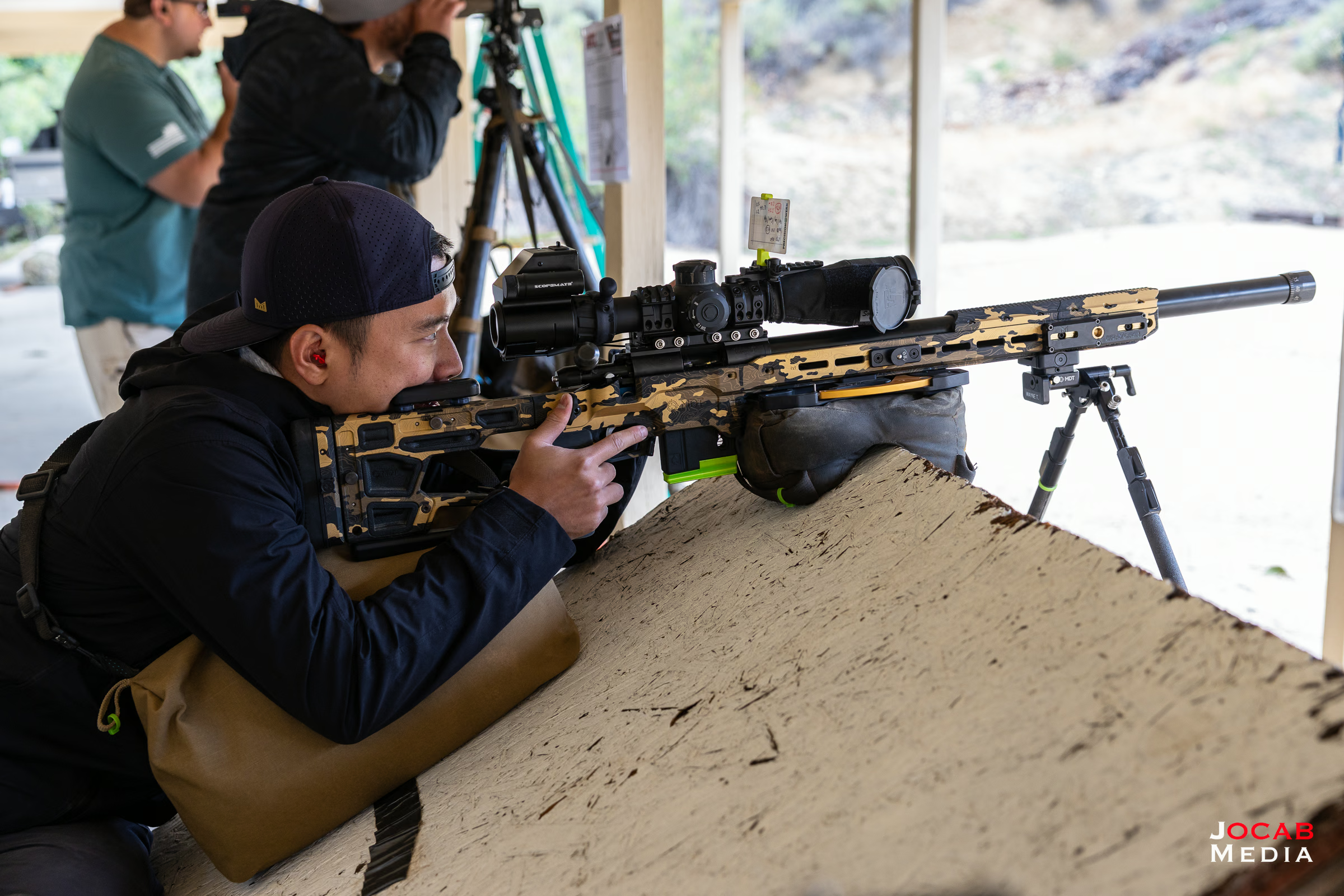
I may give the newest revision of the S28 a chance. I have seen some sample footage of actual ScopeMate S28 users (even older generation units) and it seems like they have decent results the ScopeMate.

Comment on this post